
Redesigning CareStack PMS
Streamlining Healthcare Workflows
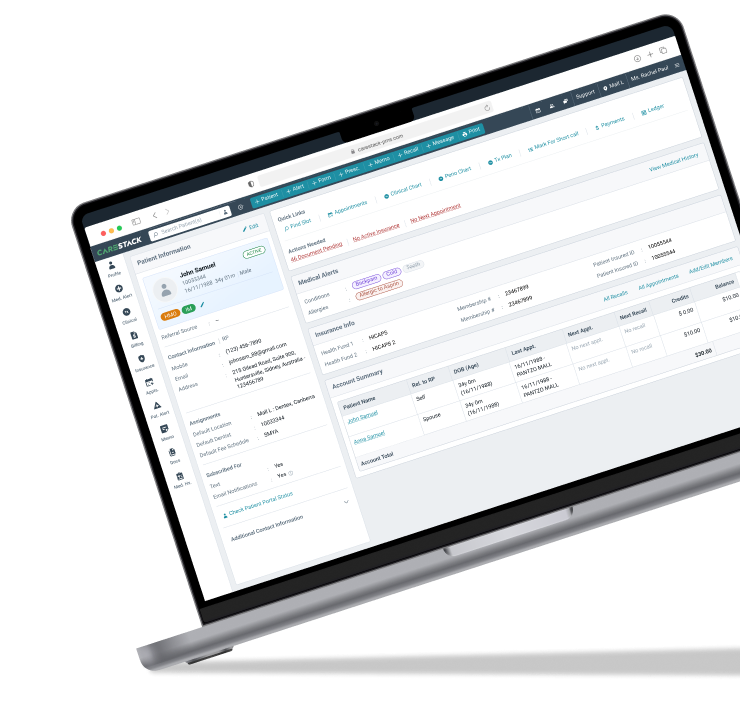
The product
CareStack’s Patient Management System is a cloud-based platform for modern dental practices, from individual clinics to large Dental Service Organizations (DSOs). It brings patient management tools together to improve engagement, efficiency, and revenue.
The team
We were seven designers producing the output of fourteen, tasked with keeping 1,200 screens consistent for a niche user base — guided by one principle: a product only succeeds if it satisfies its users.
Why the redesign?
CareStack PMS was built for a single geography. Expanding globally exposed complex workflows, inconsistent UI behavior, and operational inefficiencies.
The primary business goals were:
Understanding our users
Our customers range from small practices to large ones — front office executives, dentists, clinical assistants, and more. We set out to learn how they think, what they focus on daily, and what they want from the product.
To better understand our users, we conducted:
Some of the key insights were:

Understanding users isn’t rocket science. Data is important, but patience and empathy are the real game-changers.
Challenges & approach
Most users weren’t tech-savvy, and the existing product had become second nature to them. Drastic changes risked high churn, so we focused on subtle improvements over full overhauls — accepting that a consistent UI update would still carry some calculated risk.
We began with a component inventory for the design system, then mapped touchpoints across user groups to understand how they navigated the product.
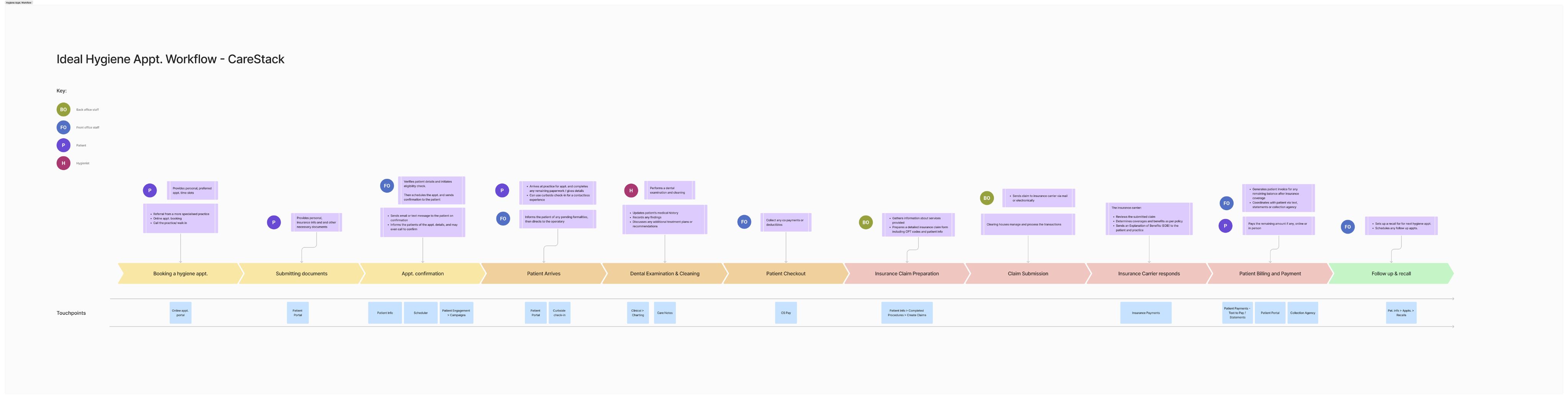
With so many touchpoints across key features, simplification was high-risk. Our approach balanced subtle experience improvements with major updates aligned to the product roadmap, running design and product sprints in parallel for a seamless transition.

We had to do everything in-parallel from discovery, design, creating design system and guidelines, testing, etc.
Building the product
Consistency required updates across behaviors and experiences, balancing functionality and aesthetics while keeping user needs at the core. Key highlights:
✅ User-Centric Decisions
- Simplified workflows for frequent tasks.
- Retained core functionalities while introducing improvements.
- Used multiple research methods to better understand user behaviour.
🚀 Design System
- The first design system, ensuring uniformity across 1,200 screens.
- Modular components.
- More styles than components to support silent updates.
📚 Enhanced Readability
- Optimal typography for information density.
- Strategic use of white, gray, and dark tones for visual hierarchy.
- Sectioned information for improved visibility.
After internal testing, we launched to 15 beta customers. Designers and PMs ran one-on-one walkthroughs, gathering a month of feedback before the global release.
Data alone couldn’t be fully trusted, so we relied on a combination of data analysis, user interviews, usability testing and competitor research to make design decisions.
Cross-team communications
Collaboration across teams was crucial. We had:
The result: a transparent workflow that drove efficient execution.
Creating “Careflow”, the product’s first design system
Careflow is the design system behind CareStack’s Patient Management System, ensuring a consistent experience across a complex product.
We mapped component behaviors, built scalable variations in Figma, and focused on core components while styling the rest. The result: a cohesive framework of elements, patterns, and templates that adapts to any scenario without breaking consistency — backed by guidelines that keep behavior transparent across the system.
We designed a shell card structure — a reusable style for modals, slideouts, popovers, accordions, action menus, and dropdowns — with boolean options to toggle visibility as needed.
Some examples of these shells are:
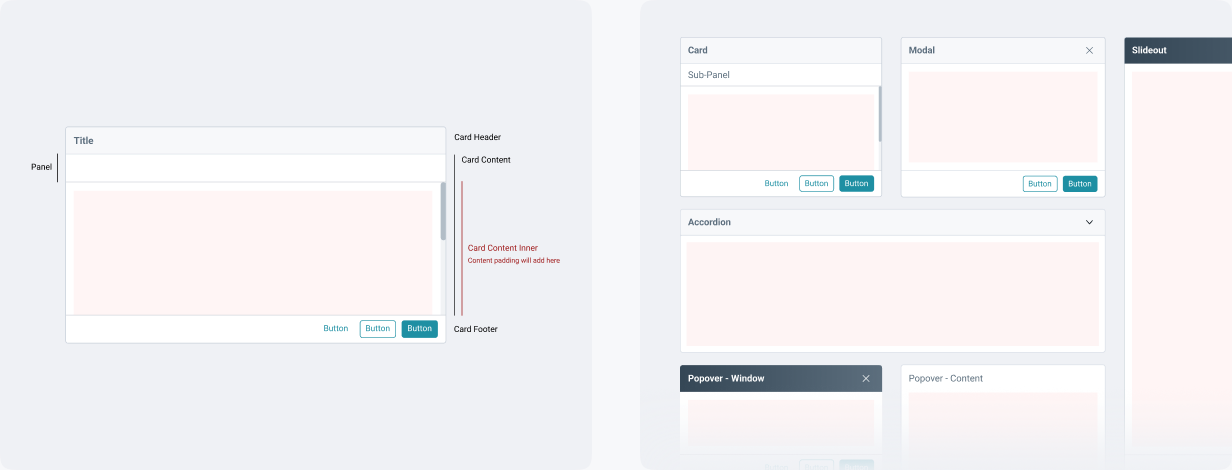
One more example of these shell components:
The header uses flexible placeholder spaces to adapt to different scenarios. A typical header includes a title, subtext, and buttons — but the placeholder approach lets engineers add tags or input fields without changing the underlying structure.
This flexibility extends to the accordion property too, so it integrates smoothly without disrupting the section layout.
Key improvements after revamp

Simplified Navigation due to organized UI for intuitive grouping.

Faster Performance due to optimized backend for speed.

Enhanced Consistency with standardized components & interactions.
Impact

Expanded to new markets seamlessly.
85% existing users adapted smoothly with minimal churn.

Higher engagement & business growth post-revamp.
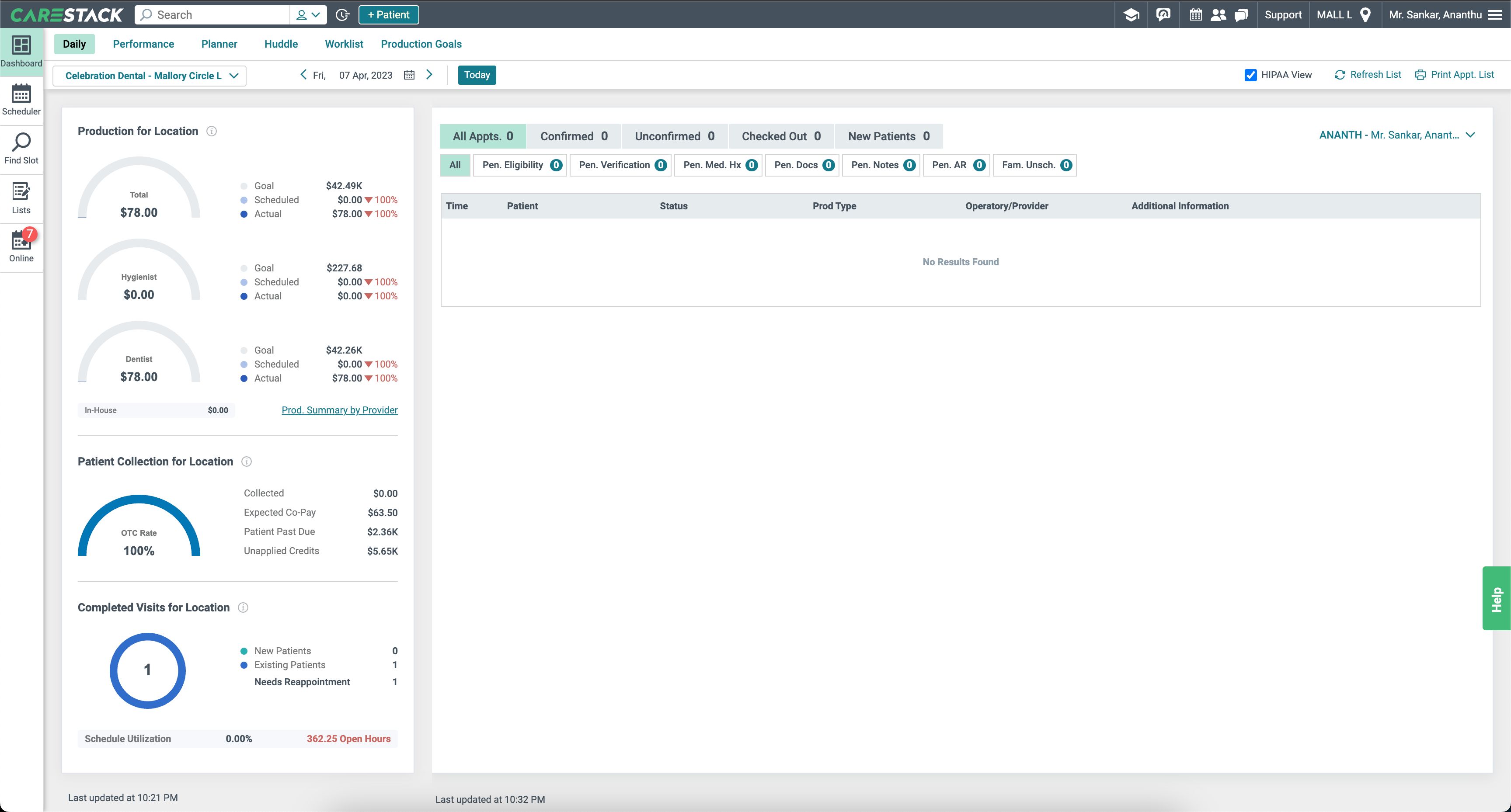
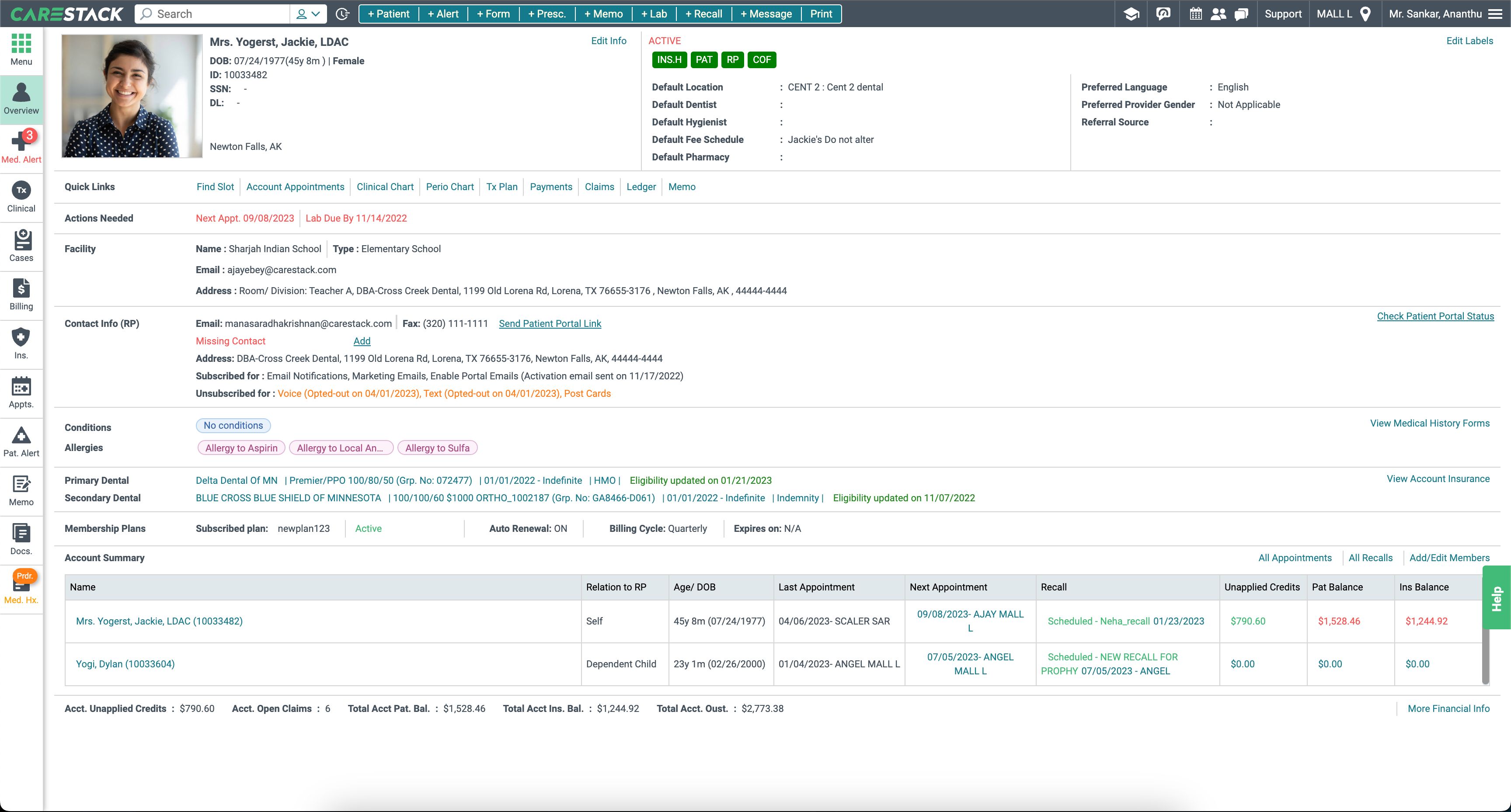
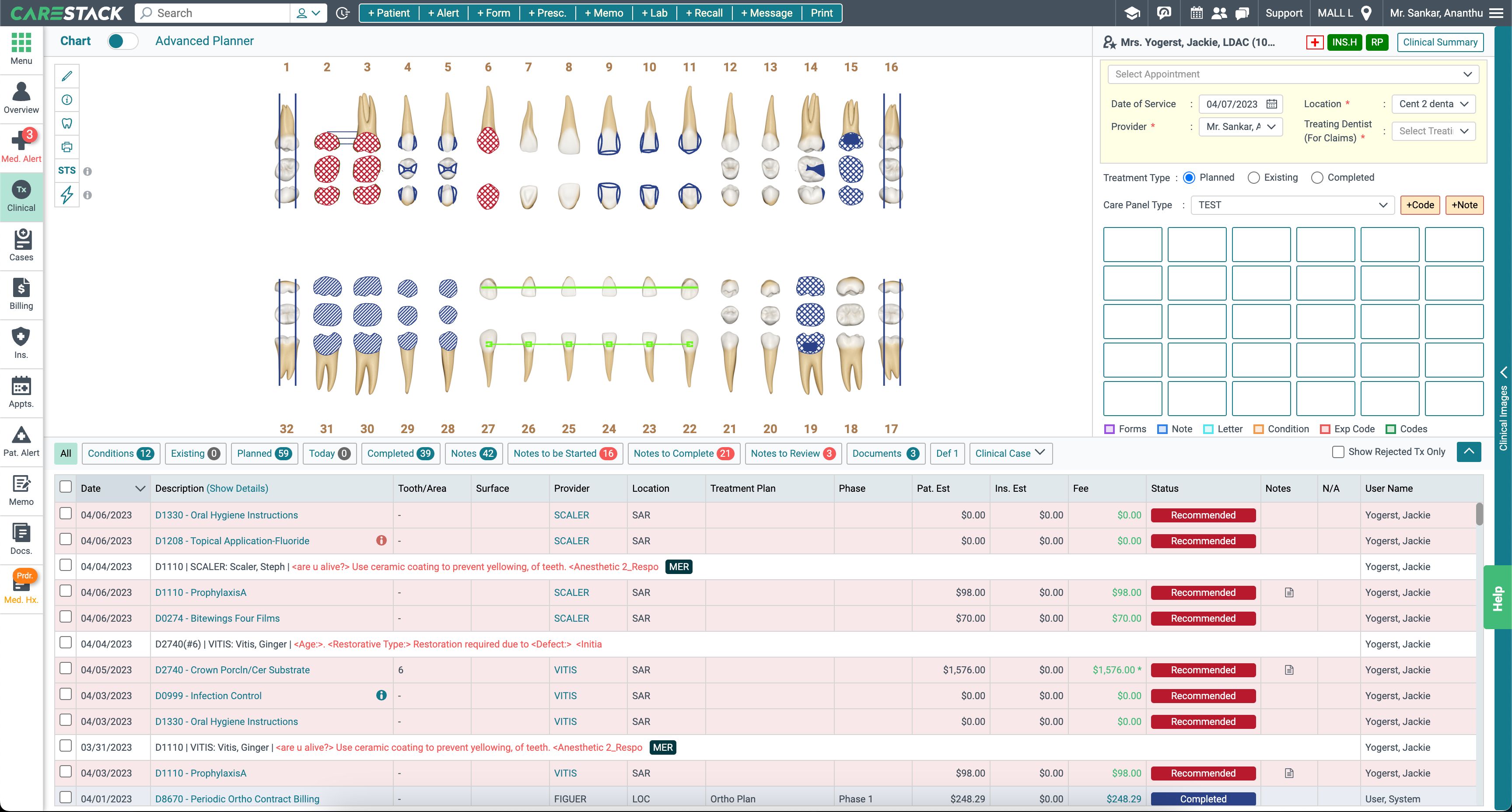
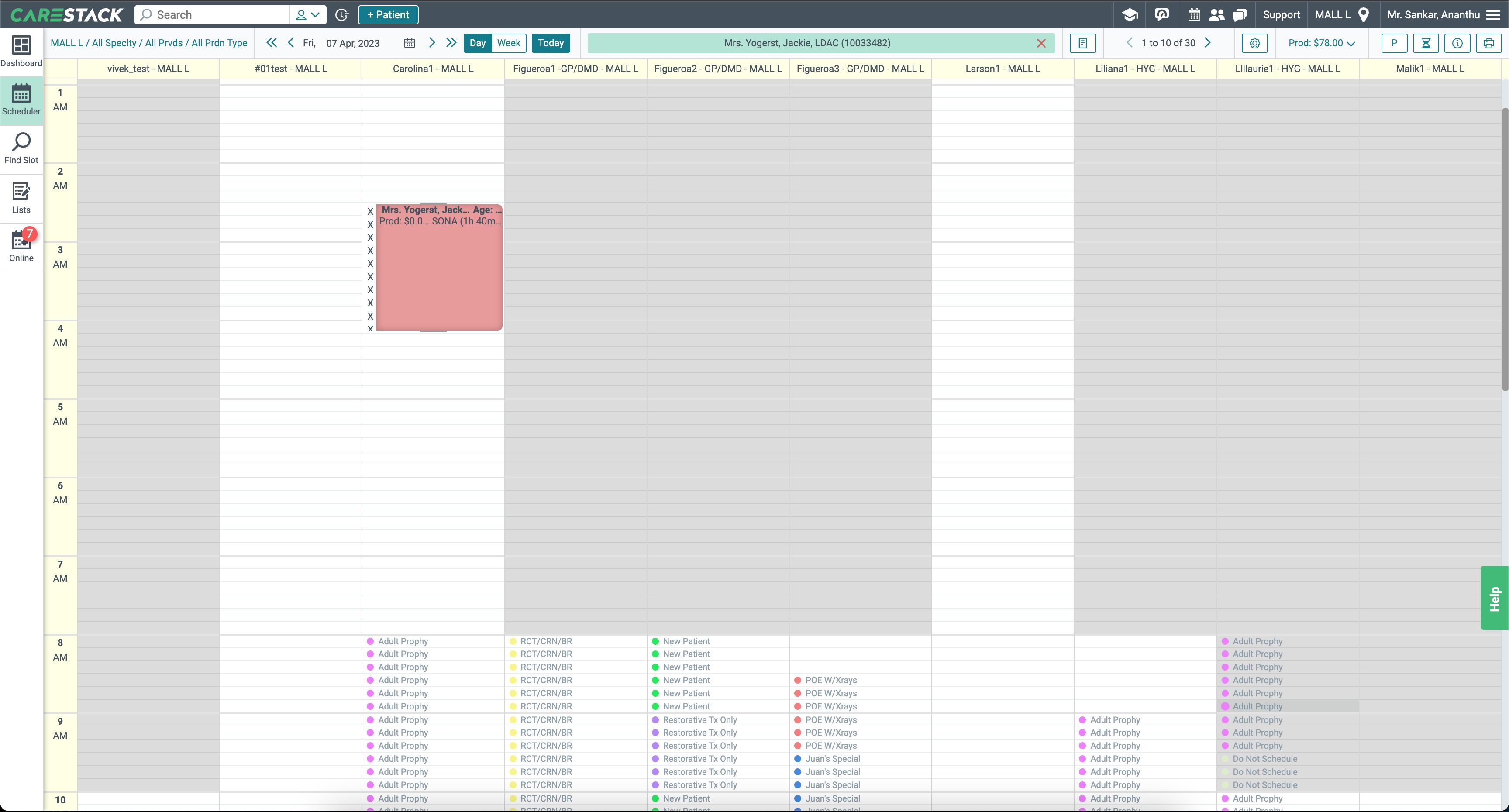
Legacy designs
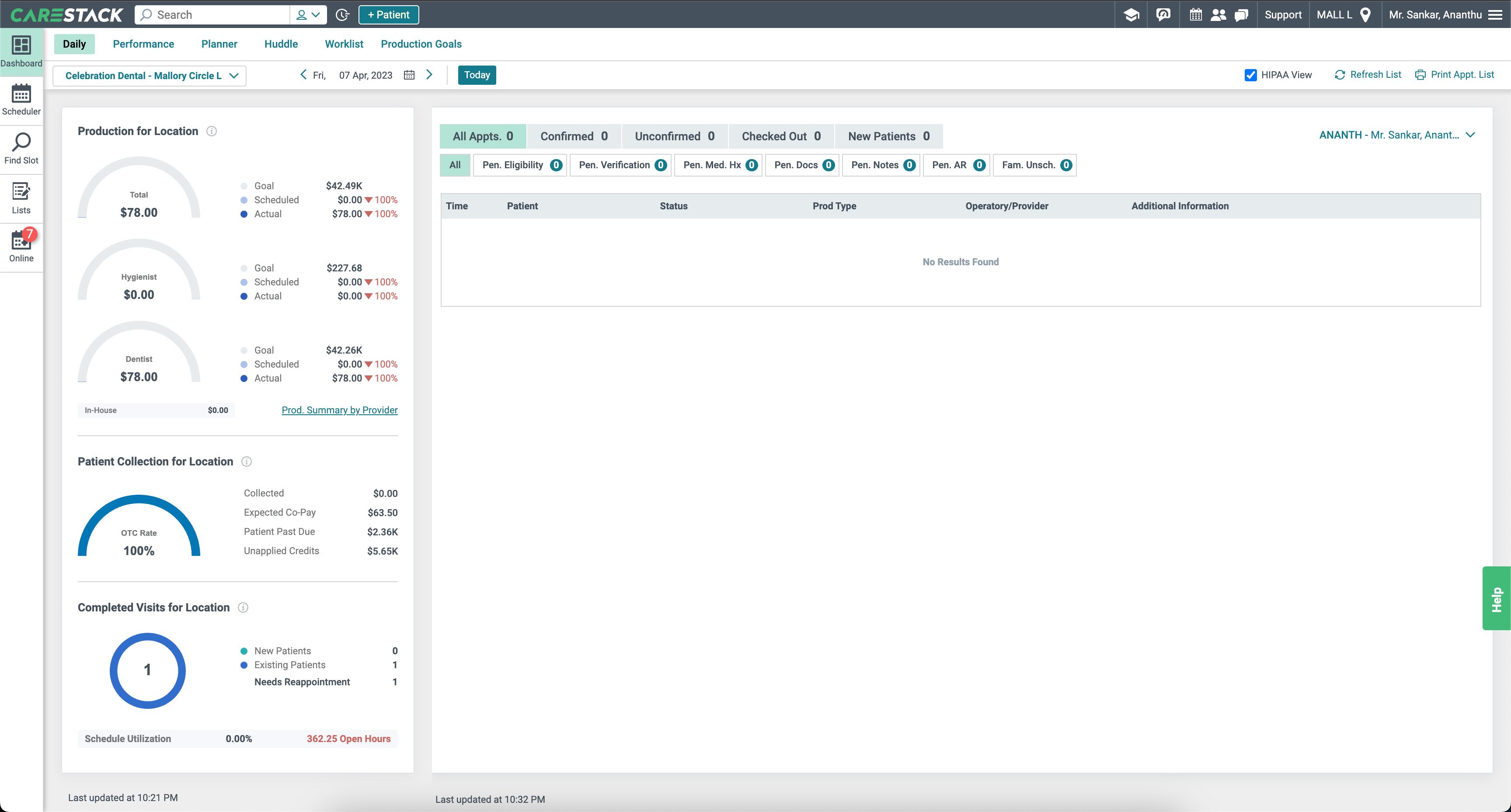
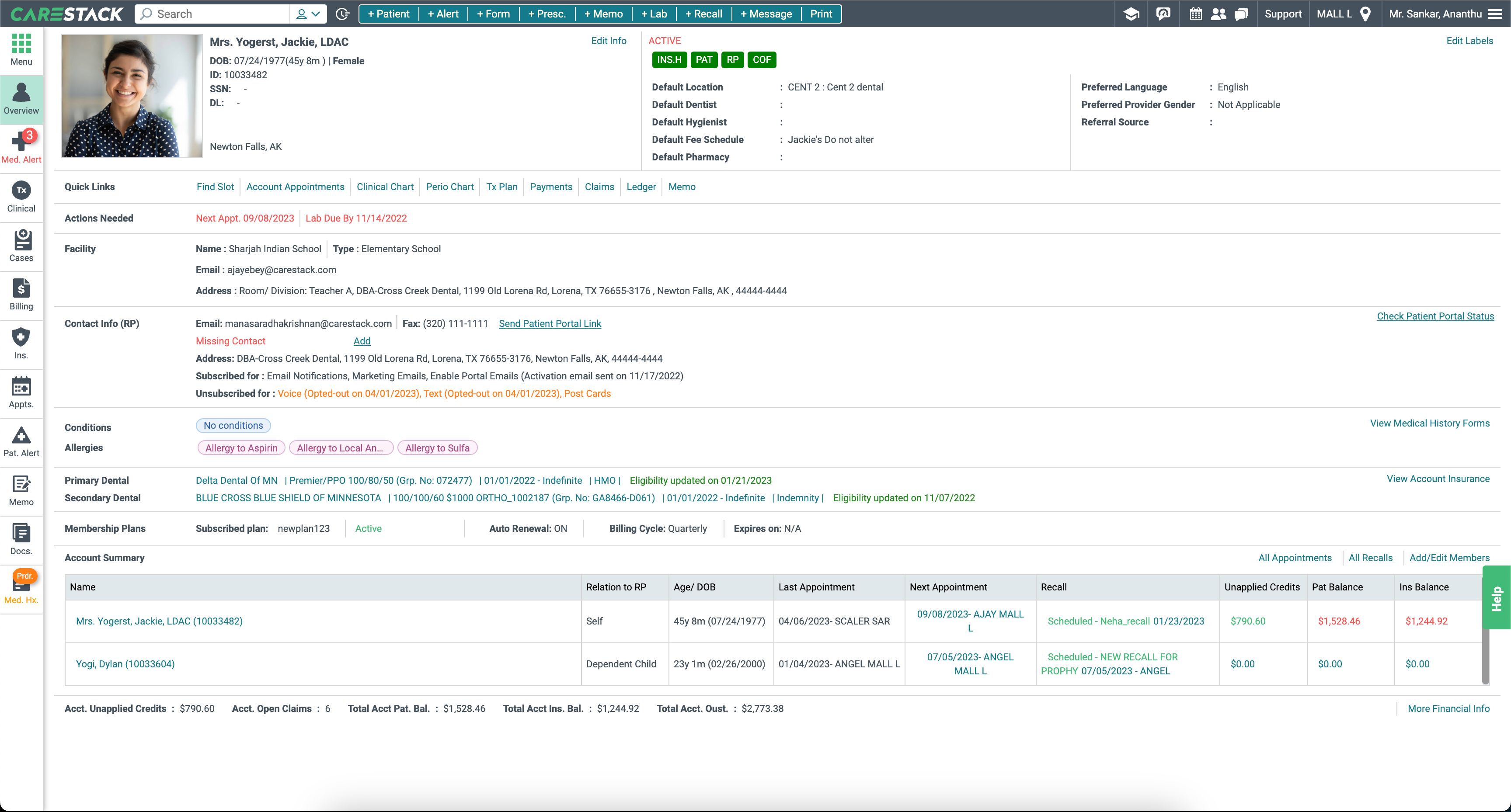
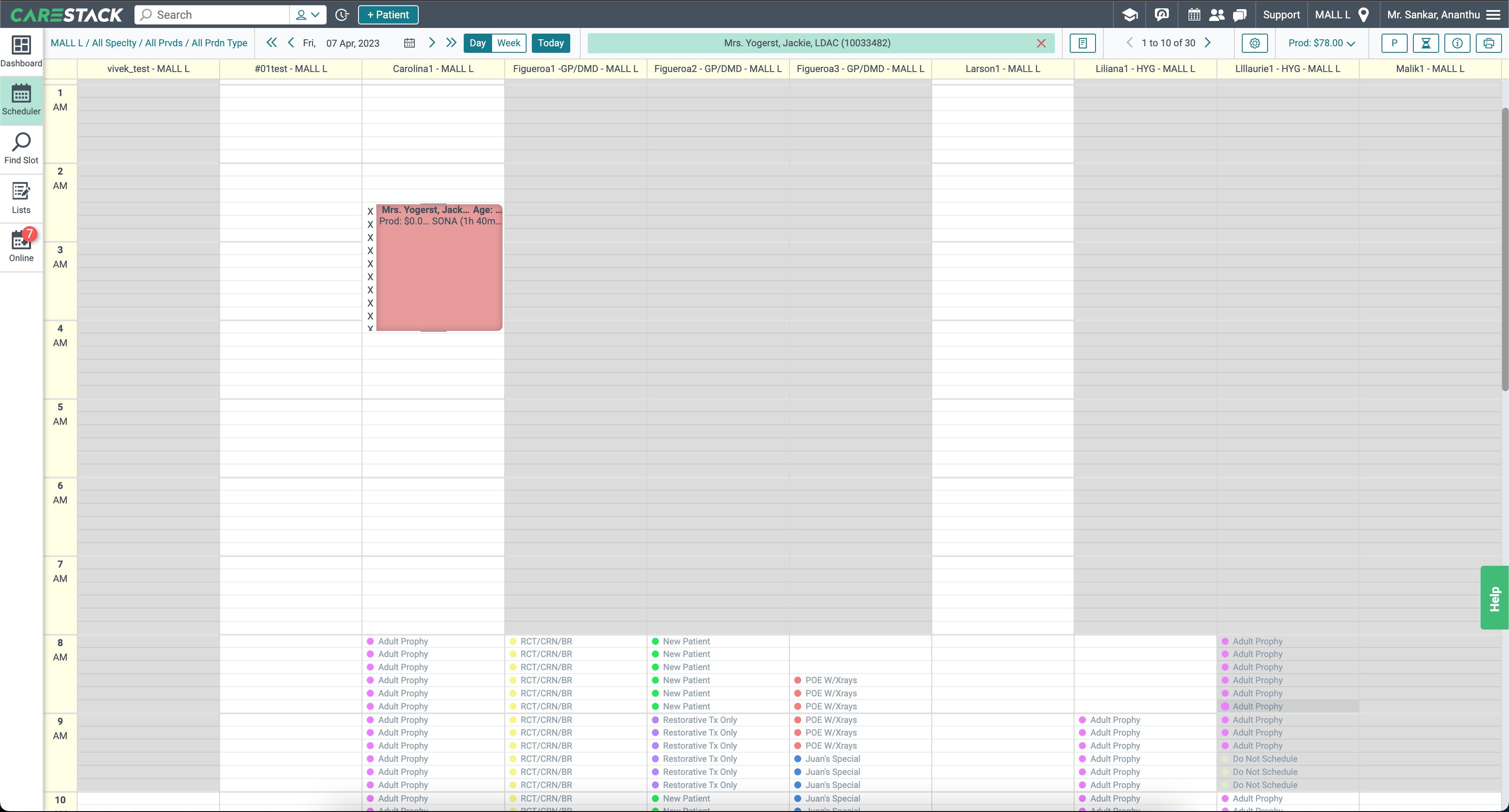
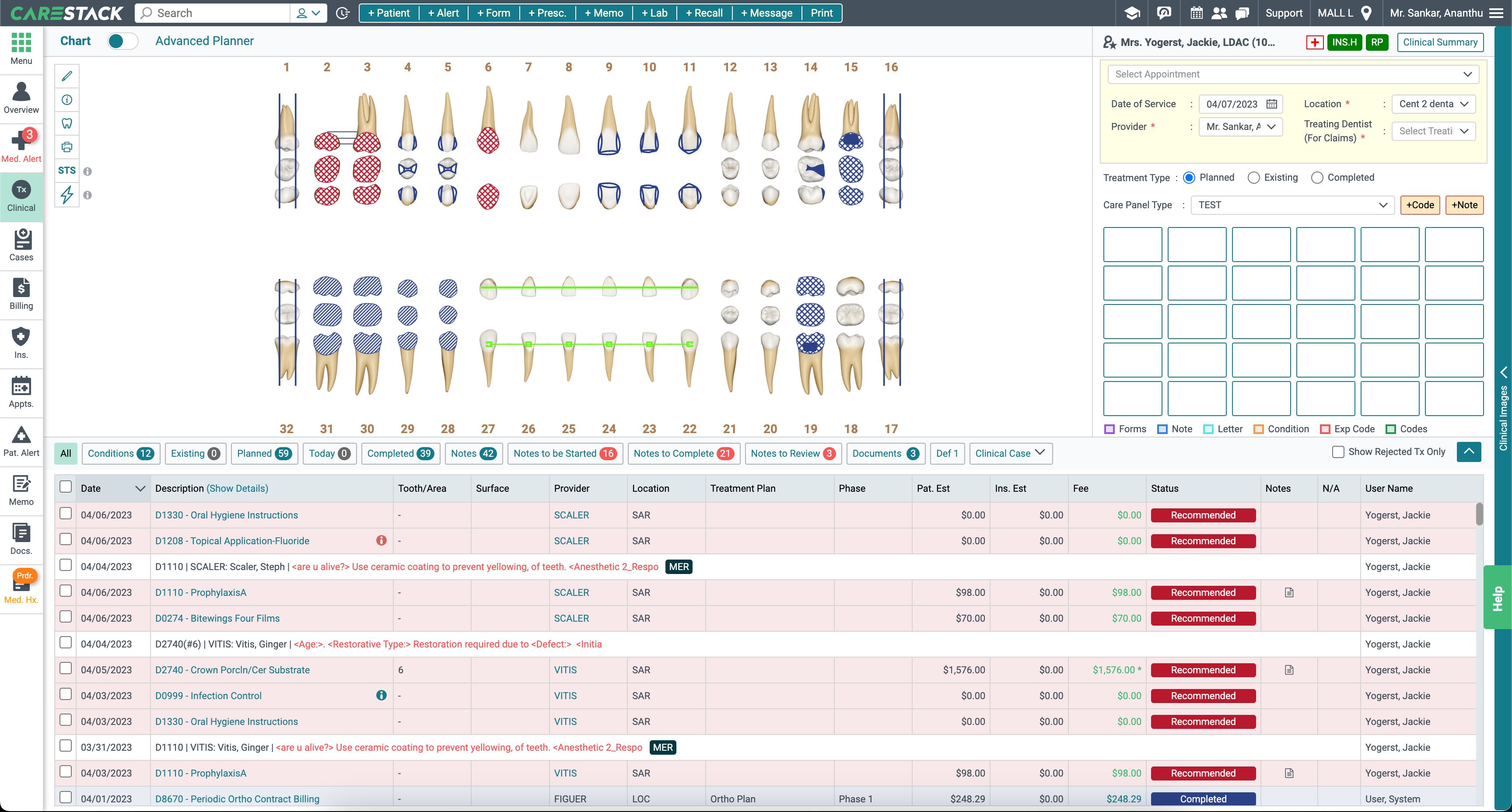
Modernised designs
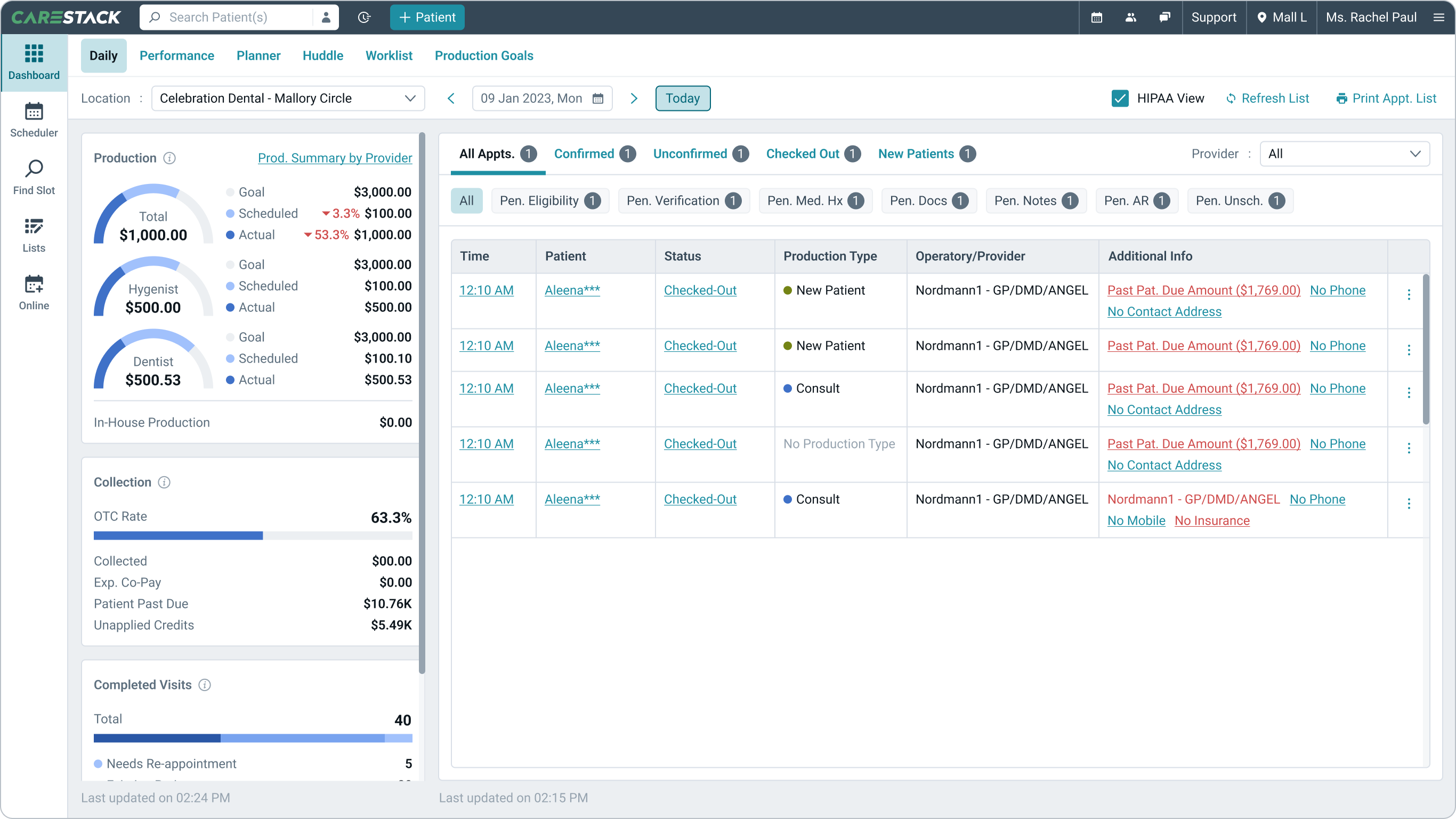
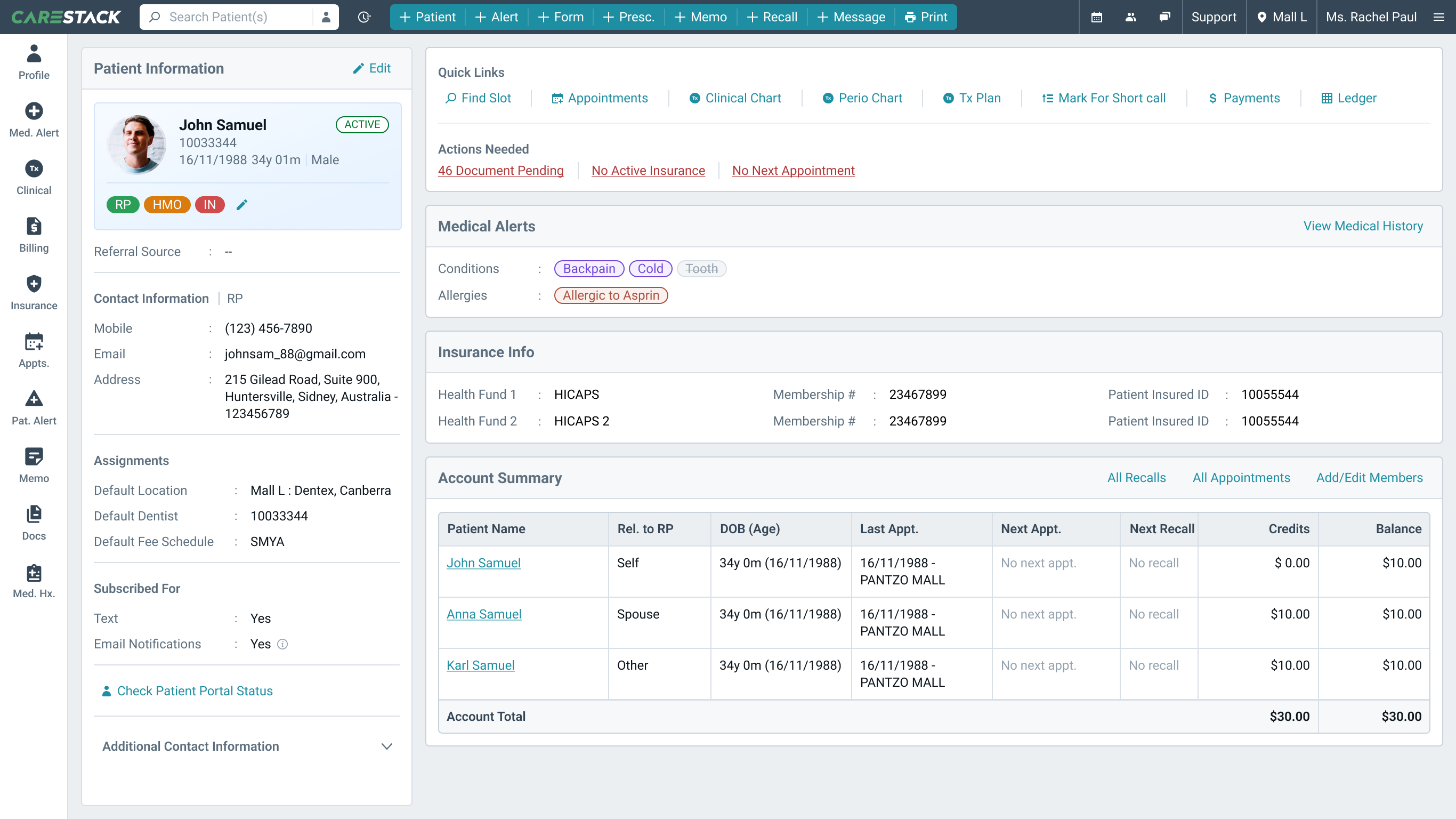
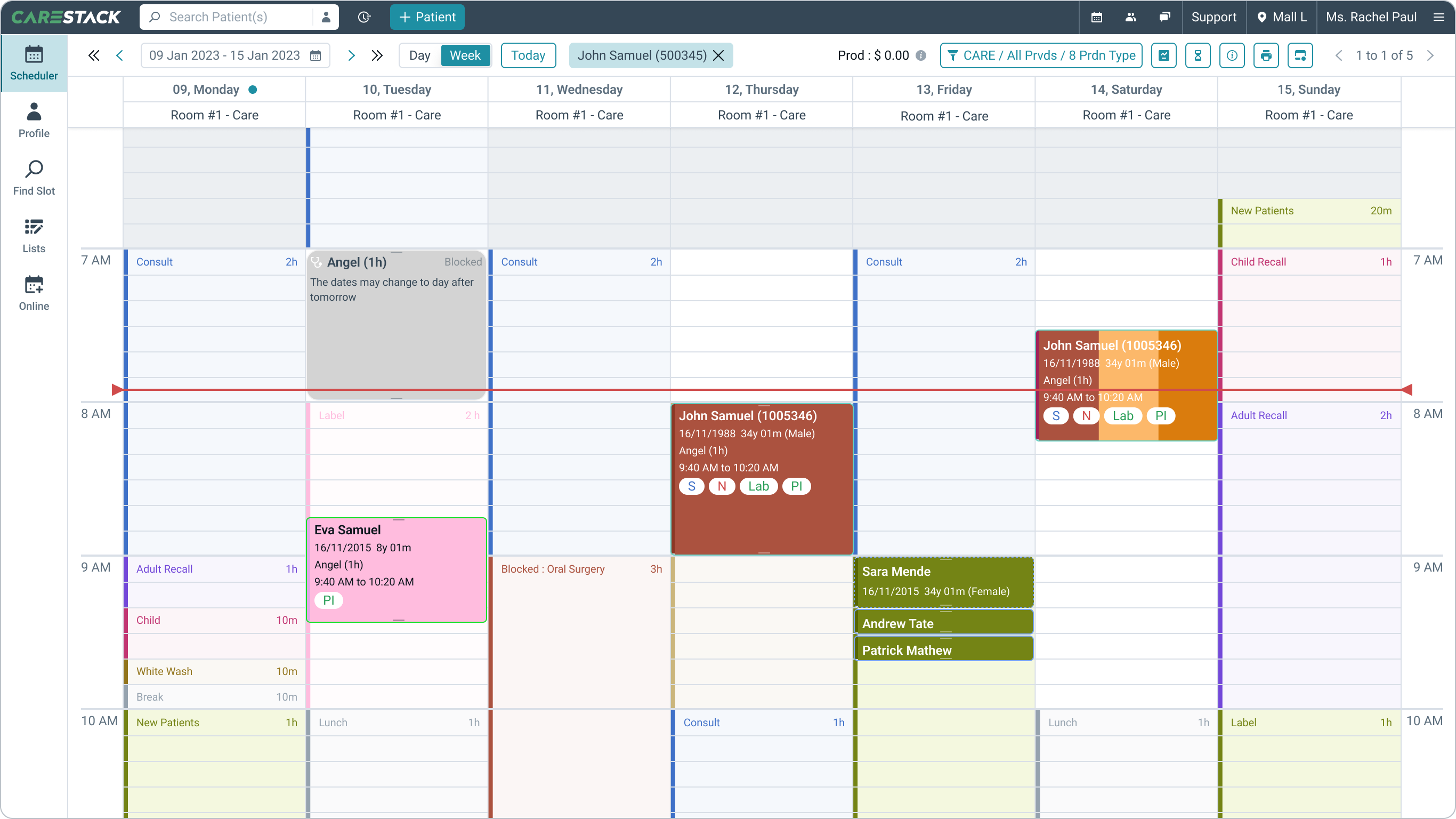
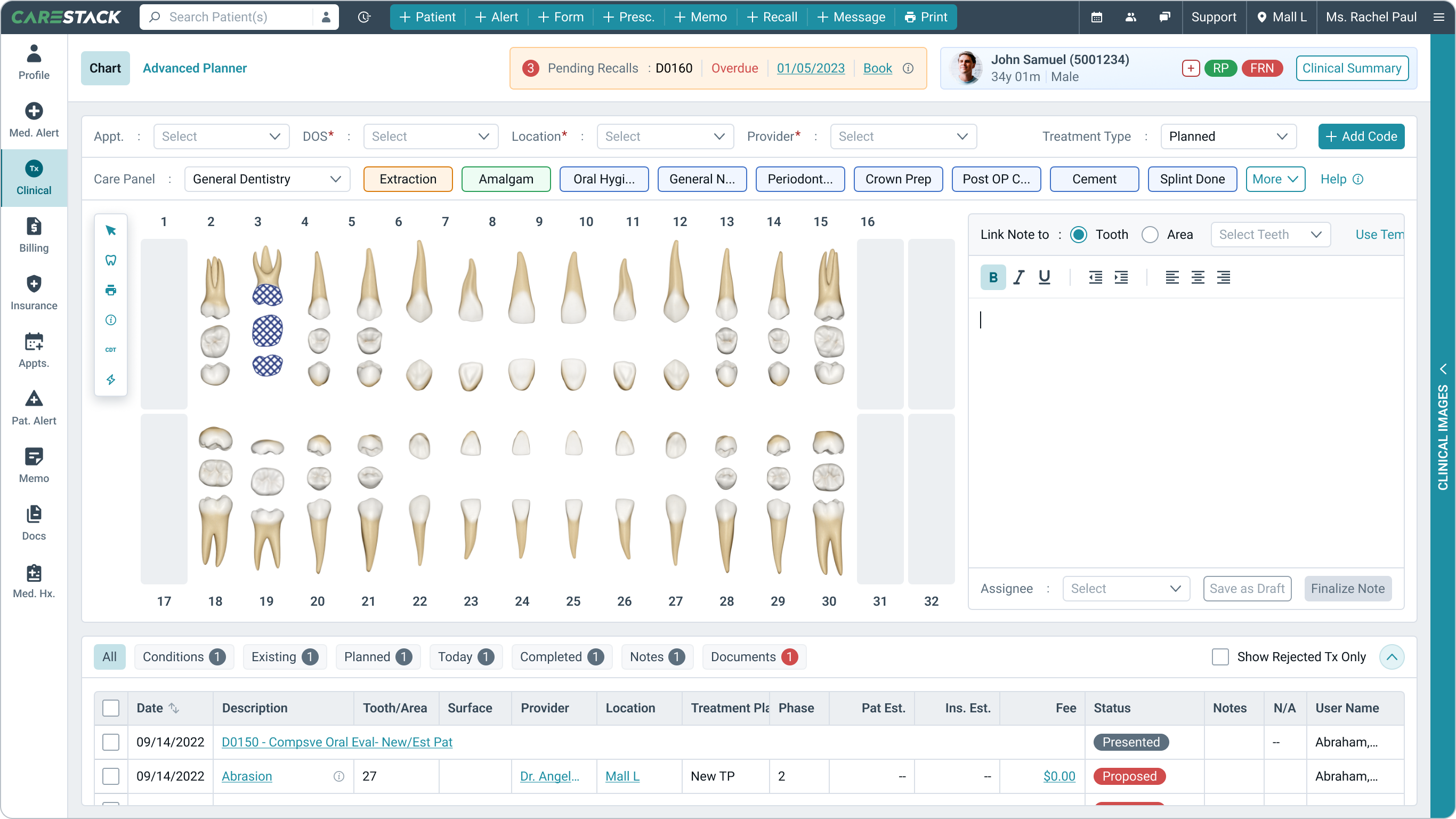

The redesign delivered a scalable, user-friendly PMS that enhanced workflows, increased adoption, and ensured long-term business success.
By March 2025, the company had onboarded 100% of users to the new Careflow design language — driven by the design system’s fast feature roll-out and intuitive interface.