
Bloopme — menubar companion
File sharing at your fingertips
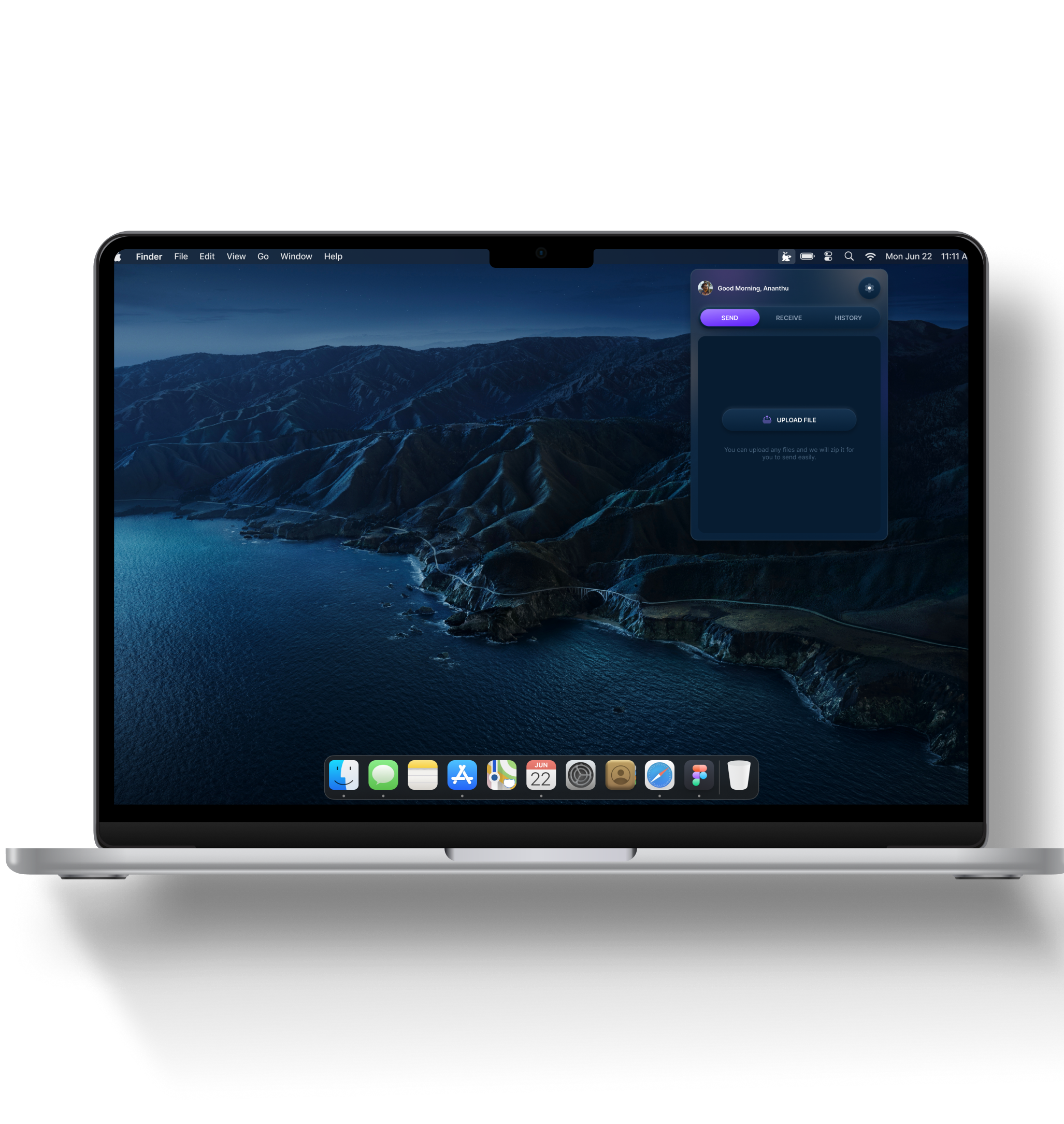

A simple menubar companion app for macOS
Bloopme is a brand new MacOS app. It is an innovative menu bar application that helps users in sending and receiving files without any limitations, from anyone, while also keeping proper track of all the files.
What makes Bloopme stand out is there is no data limit for sending the file!

A design brain to build the experience from 0 to 1
The requirement that came to me was to give a face, life, & identity for the app. This started from logo & branding, designing the application, and it’s product website.
Creating an identity as unique as the name!
The research began with the dissection of the product name, “Bloopme”. “Bloop” is a term for a mysterious, underwater sound recorded in the 90’s. Many years later, NOAA scientists discovered that the sound, or “bloop”, emanated from an iceberg cracking and breaking away from an Antarctic glacier.
So, how is “bloop” related to the product concept?
“Bloopme” doesn’t set a data limit on its users — they can send any amount of data to anyone, anywhere. Once the transfer is successful, the application buzzes a notification, resembling a “bloop”, thus staying true to the product name.
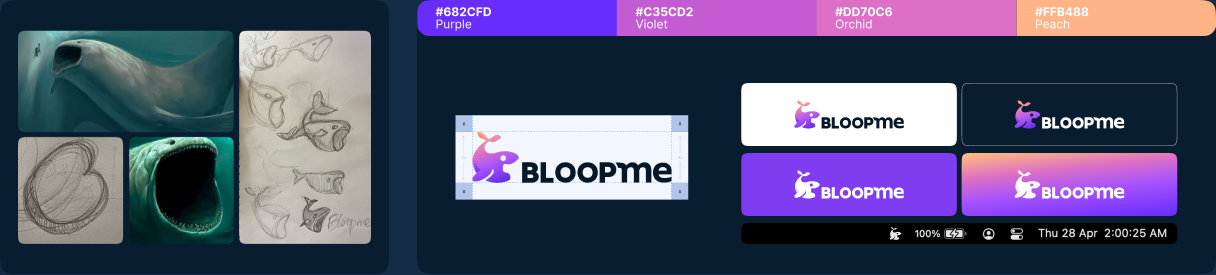

The freshness and the freedom was something I enjoyed a lot! We do not get such space always.
A visual style inspired by ocean depth and bioluminescence
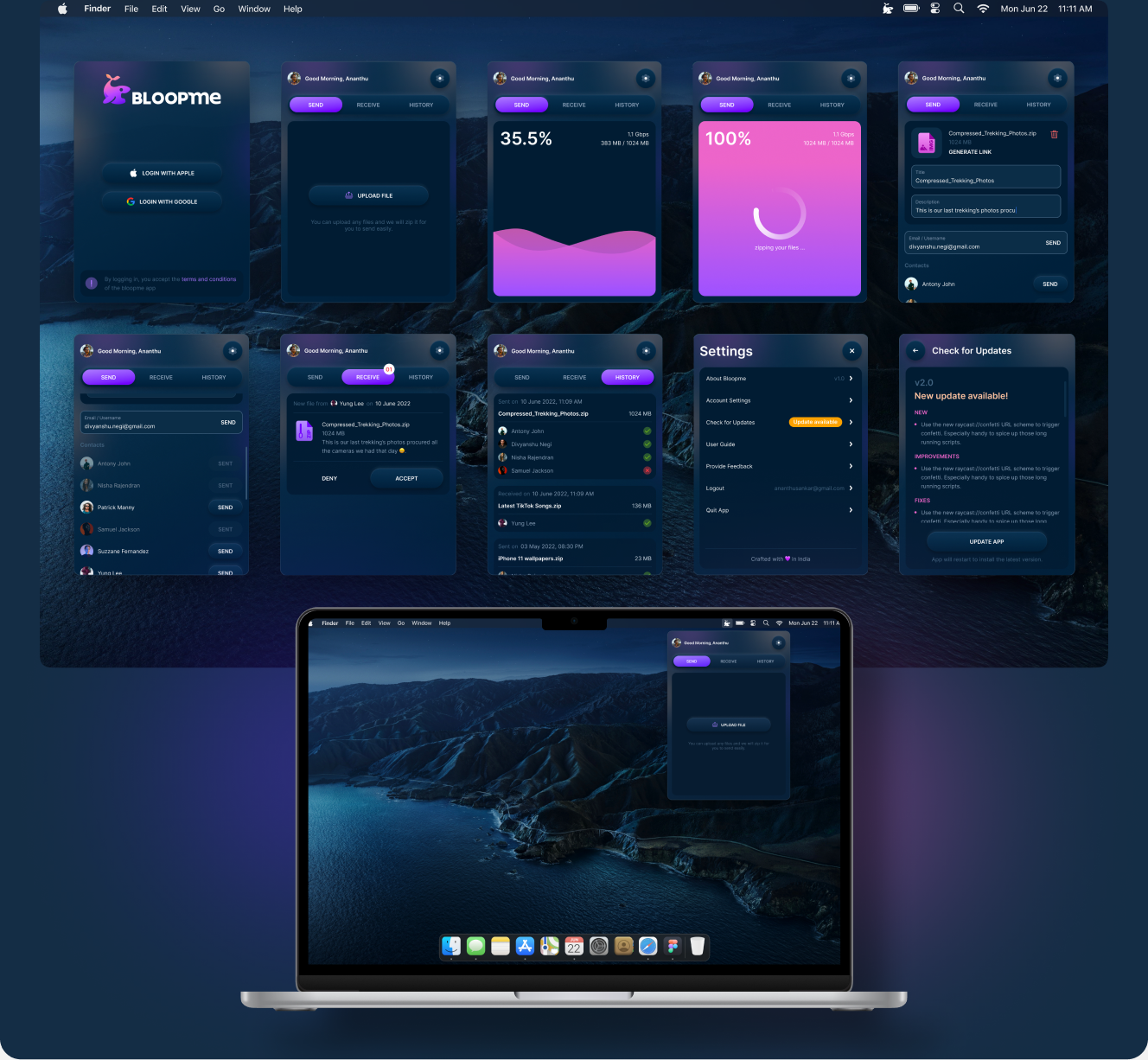
My usual design process is to explore multiple options and run an A/B test of my own to finalise a design. So I started exploring different styles for the app.

Bloopme’s mascot is inspired by the mysterious sea creature myths that live at the ocean depth. So I decided to go forward with a dark theme inspired by ocean depth, and glow colors inspired by the bioluminescence effect.
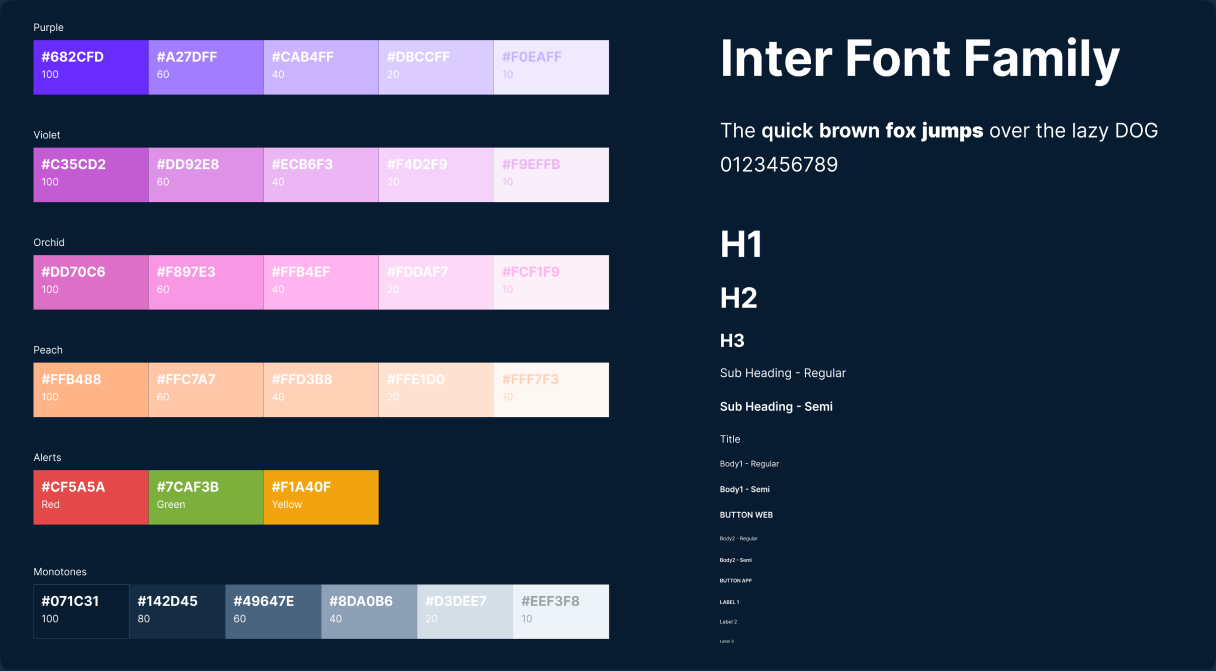
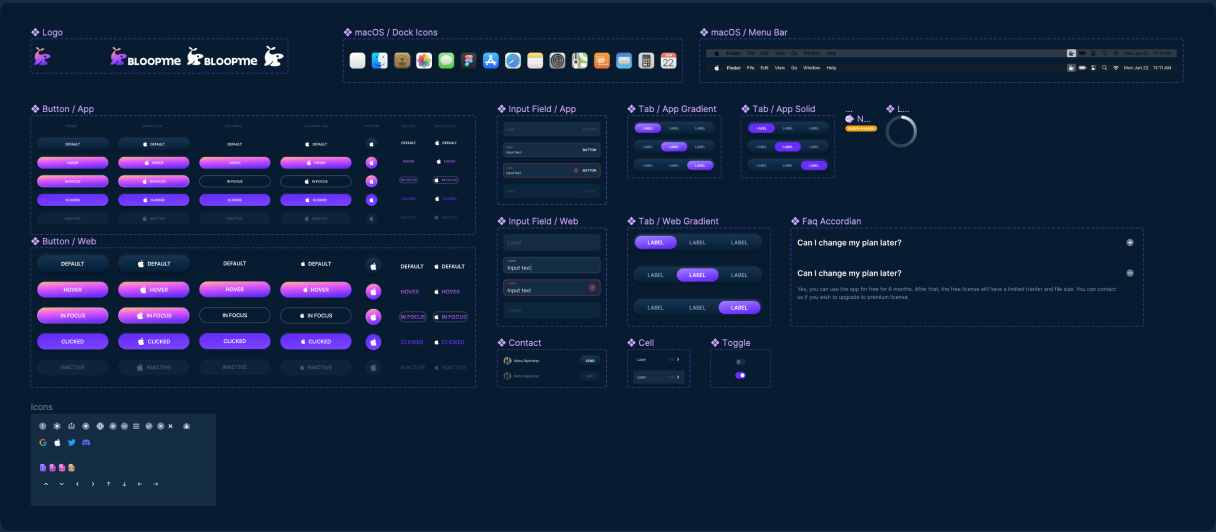
Style guide and component sheets are the first step to a design system
The style guide and components were created during the app design process. Components and variants were built with scalability and reliability in mind. Since this was an MVP, core component behaviour was retained within the variants — tokenisation was kept aside for the next phase.
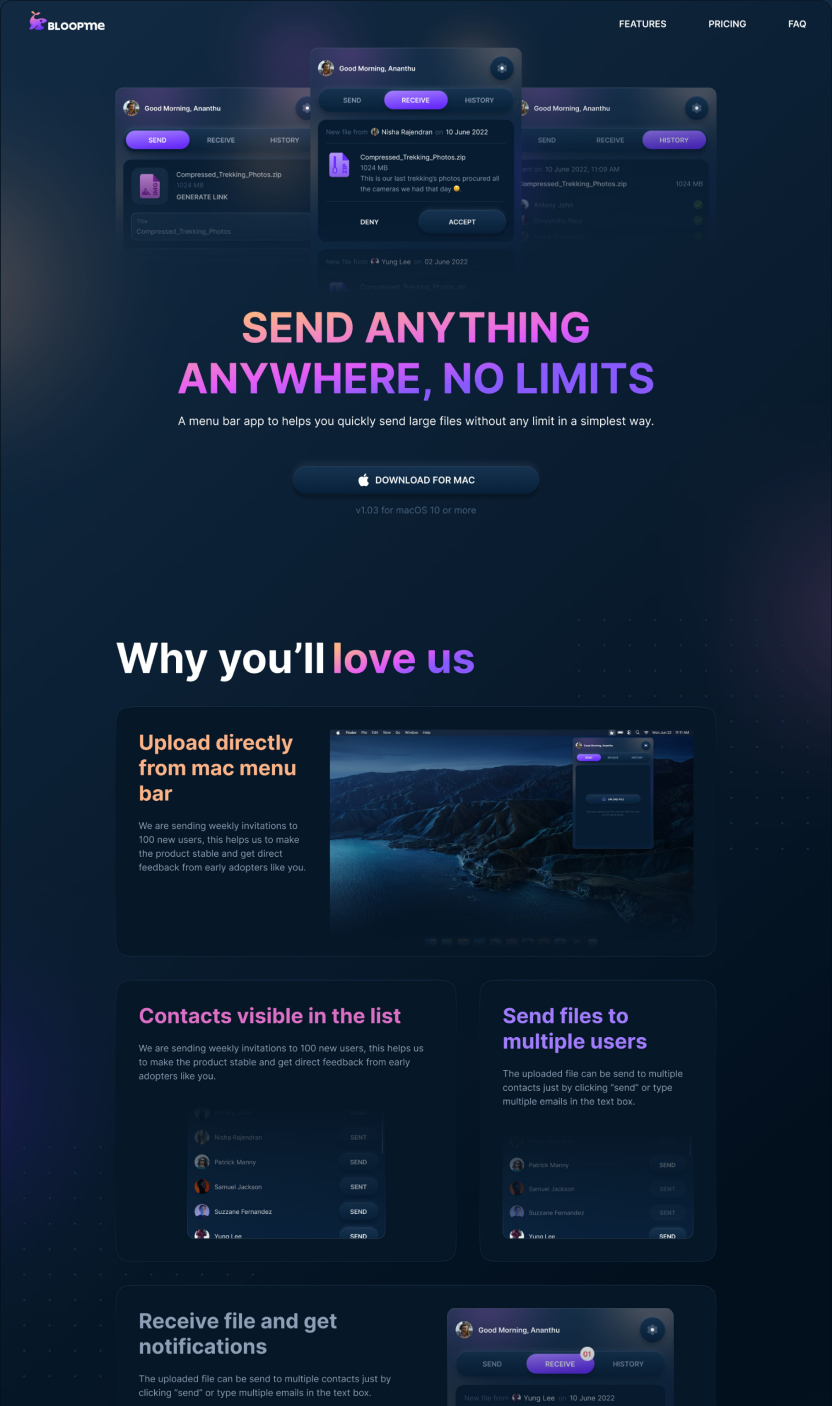
A website to showcase the product and its features
The main purpose of the product website is to showcase the product and its features, and to give people a place to download the application. The same design principles were carried through to the website to keep the style seamless.
What did I achieve!

A flavour of creative freedom, a purposeful UI, and my first MacOS app — Bloopme was a rare chance to build an identity from the ground up.