
Integrating Payroll within PMS
From manual to automated
Why was this needed?
Integrating payroll into CareStack PMS automates salary processing, cutting down manual effort and improving accuracy. Generating compensation reports from real-time work data also makes it easier to stay compliant with labor and financial regulations.
The primary business goals of this feature were:
Current payroll workflow
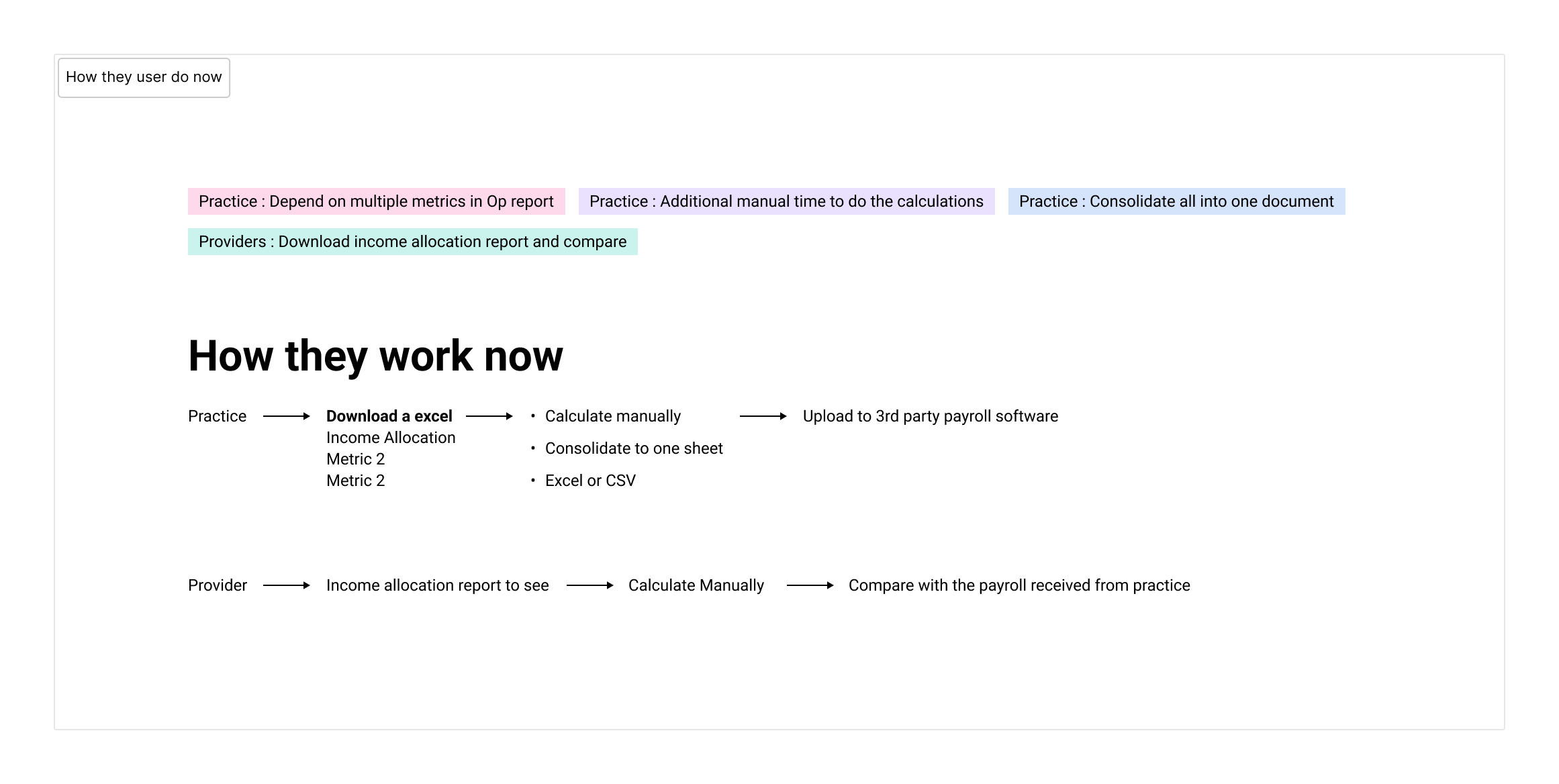
The finance team relied on CareStack PMS’s analytics feature, but payroll data was scattered across multiple reports. Users had to manually extract, filter, and process data, then re-upload it into separate software — a tedious and error-prone process.
Research & discoveries
Competitor analysis (EagleSoft, Open Dental) revealed that existing solutions automated payroll reports but required users to repeat the entire process for every new report.
To optimize the feature, we:
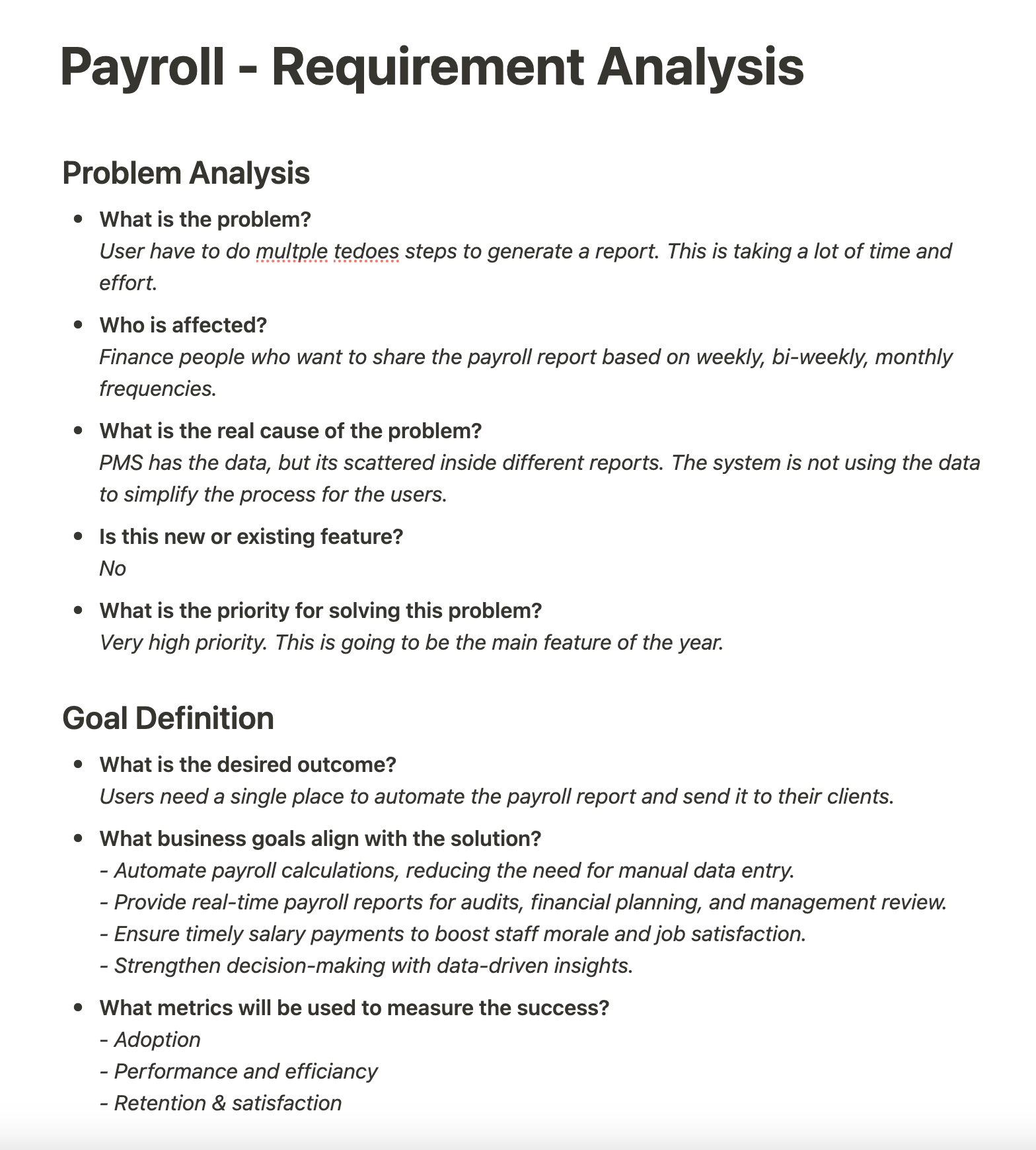
The MVP needed to generate reports on demand and keep a history of them. I used a structured questionnaire to break down these requirements, which also surfaced a few valuable enhancements along the way.
Key enhancements for an optimised workflow:

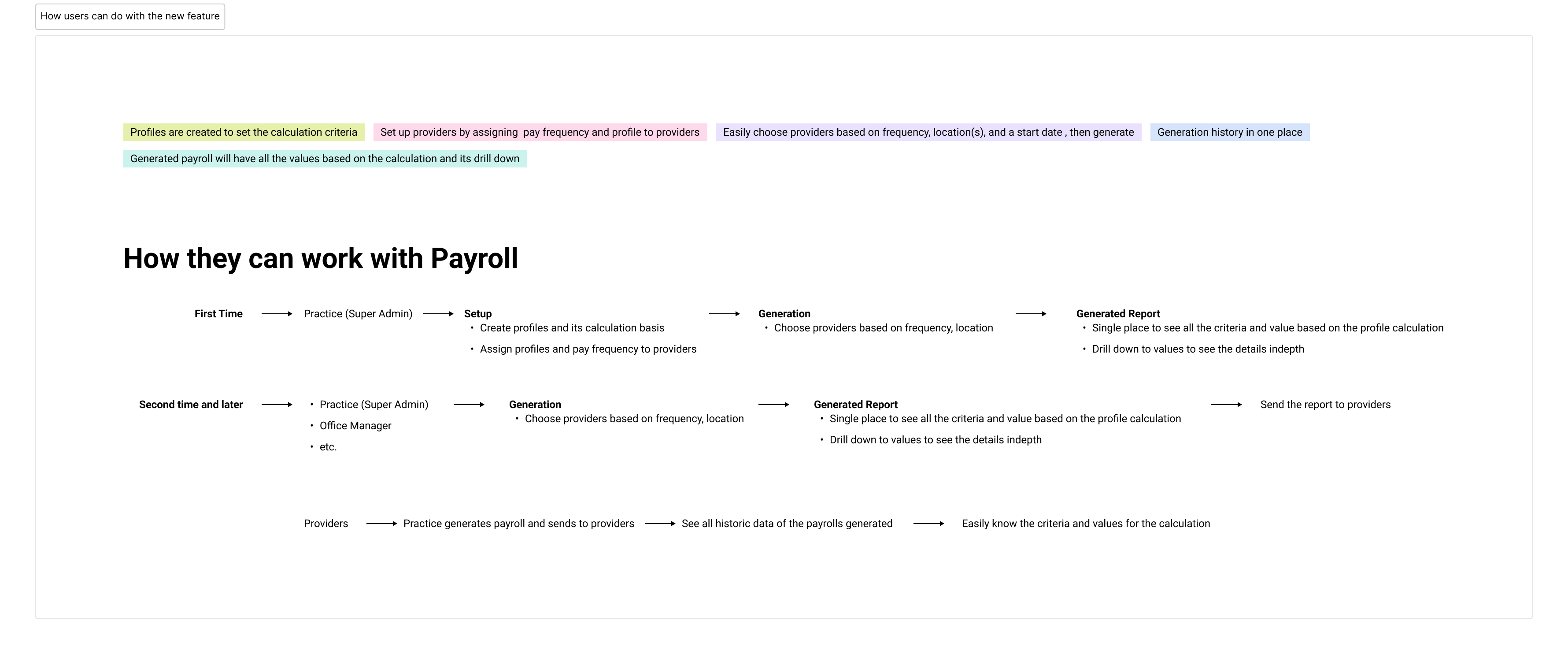
Users can create reusable calculation templates.
Reports can be generated with detailed breakdowns.
Reports can be downloaded and shared easily.
Payroll history provides full visibility into past reports.
Designing the feature
With some requirements still unclear, we explored several approaches — the main challenge was balancing simplicity with the need for customisation.
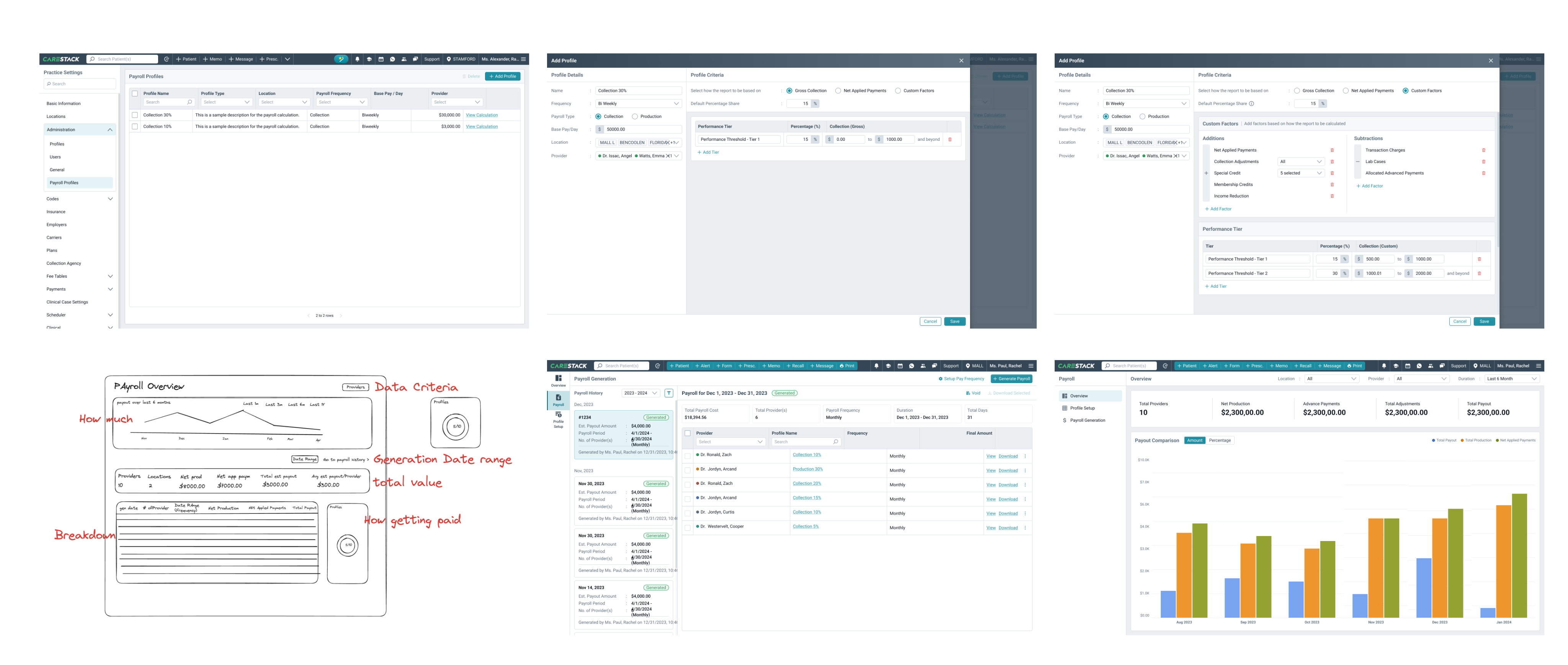
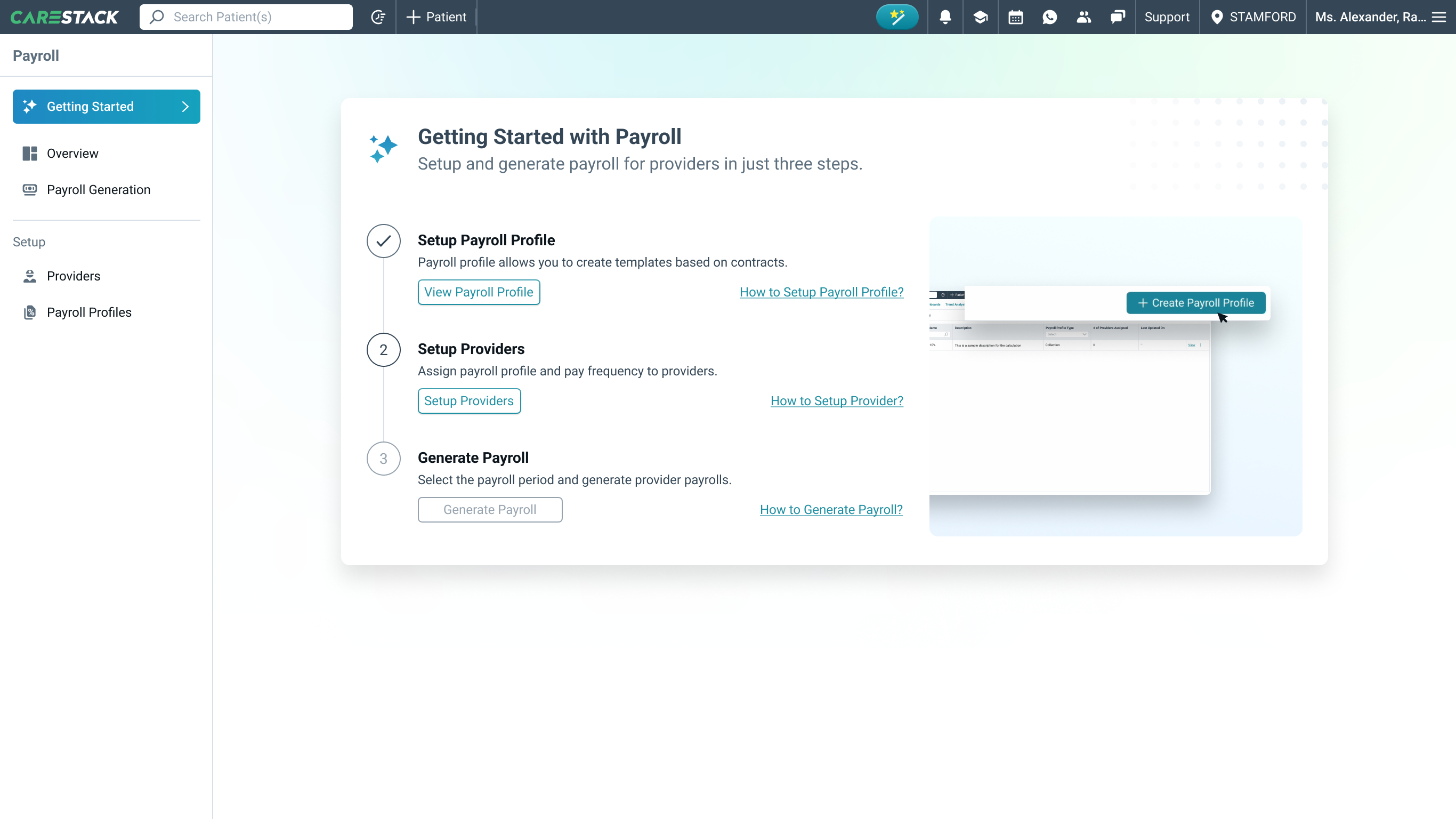
The solution: a guided onboarding flow.
Set up user profile.
Assign payroll templates to providers.
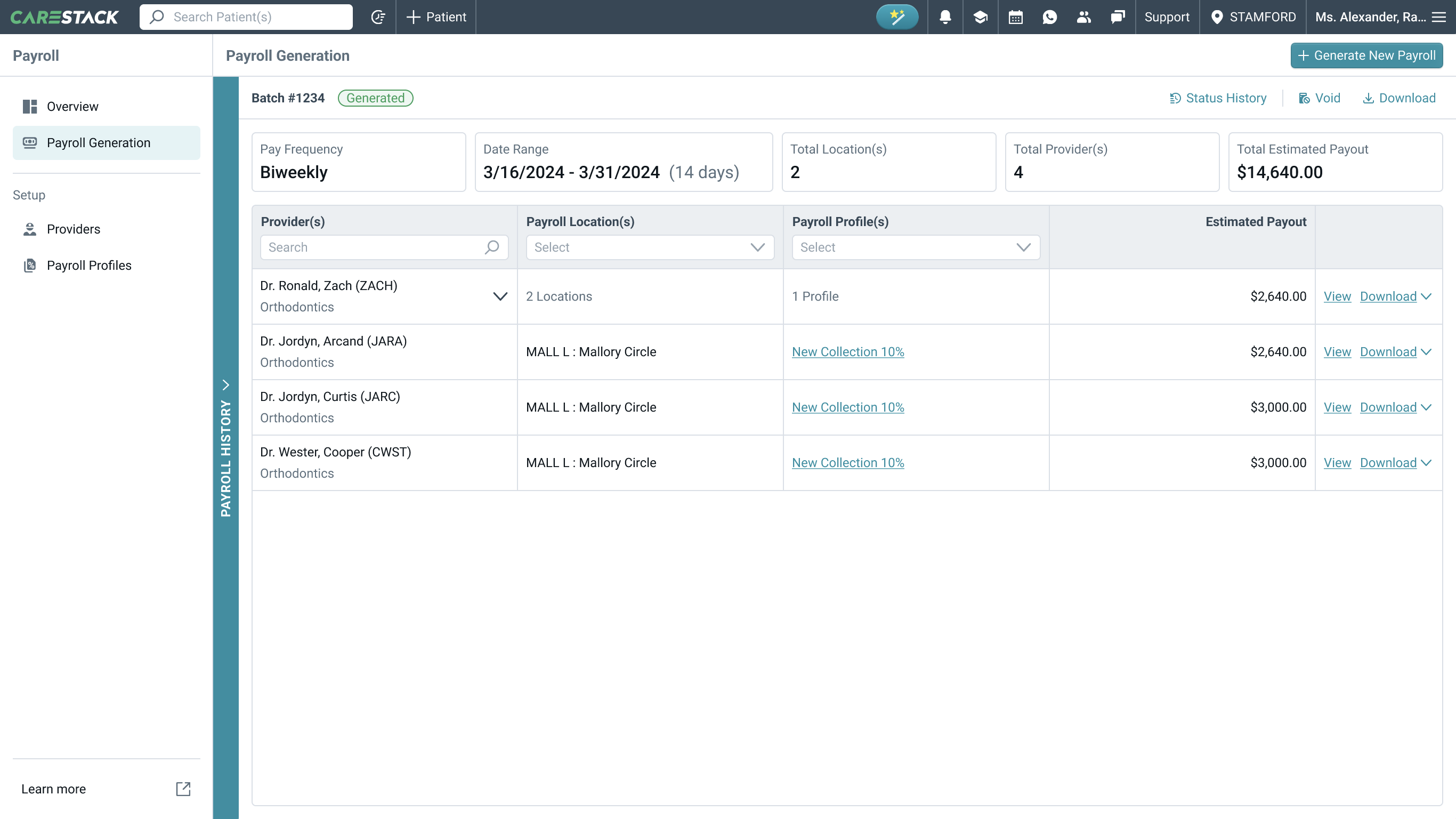
Generate and review the first payroll report.
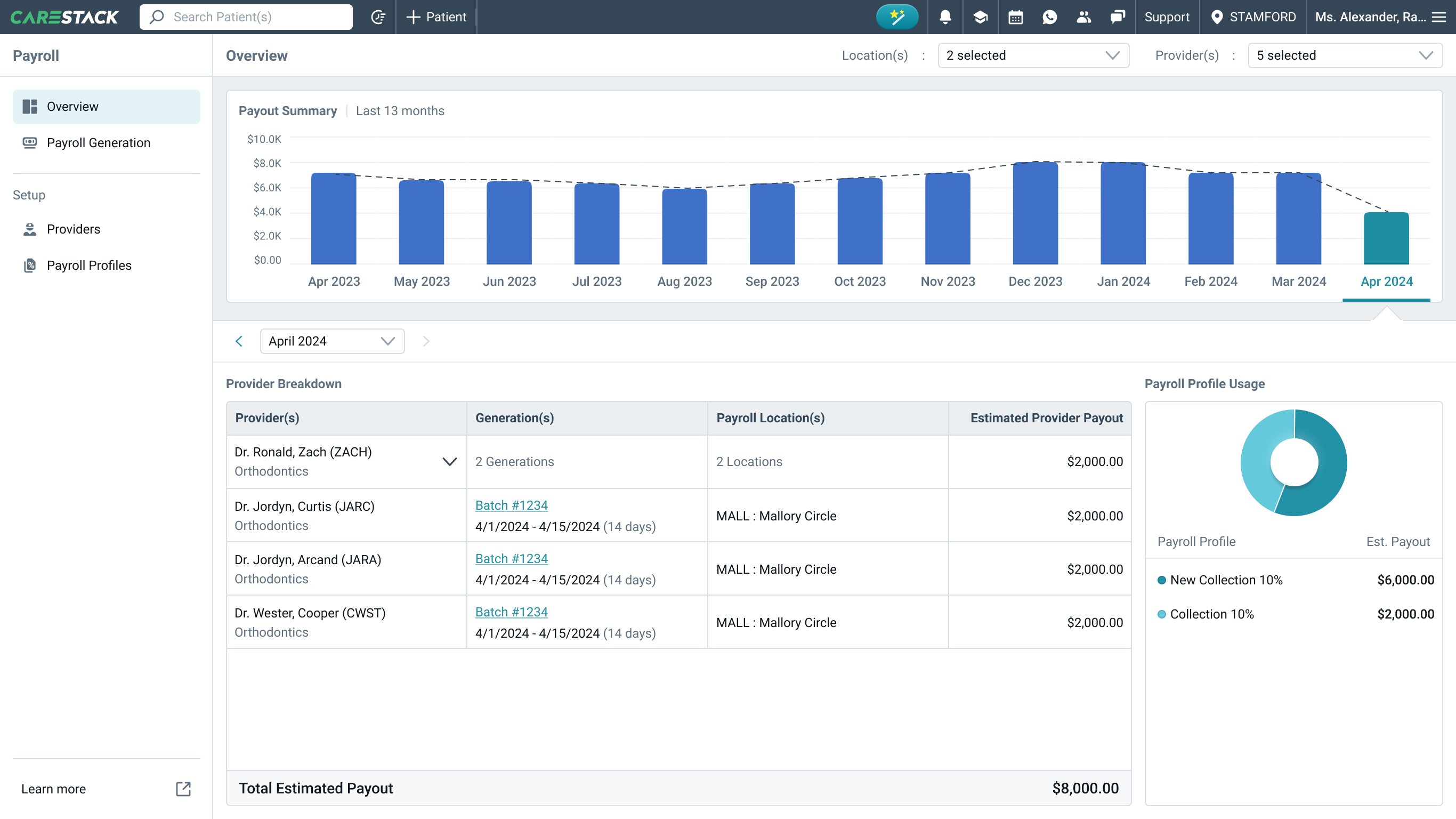
Track payroll history to prevent duplicate reports.

We used the Careflow design system to keep things consistent, while adding a few interactions built specifically for payroll.
Cross-team collaboration
Regular design reviews with developers surfaced technical constraints early, and a few rounds of iteration refined the workflow for feasibility and stability.
User testing & refinements

Internal Testing
The finance team reviewed a Figma prototype, providing feedback on naming and transparency.

Beta Testing
Selected users tested the feature, validating usability and functionality.
With testing complete, the prototype was ready for launch.
Final designs
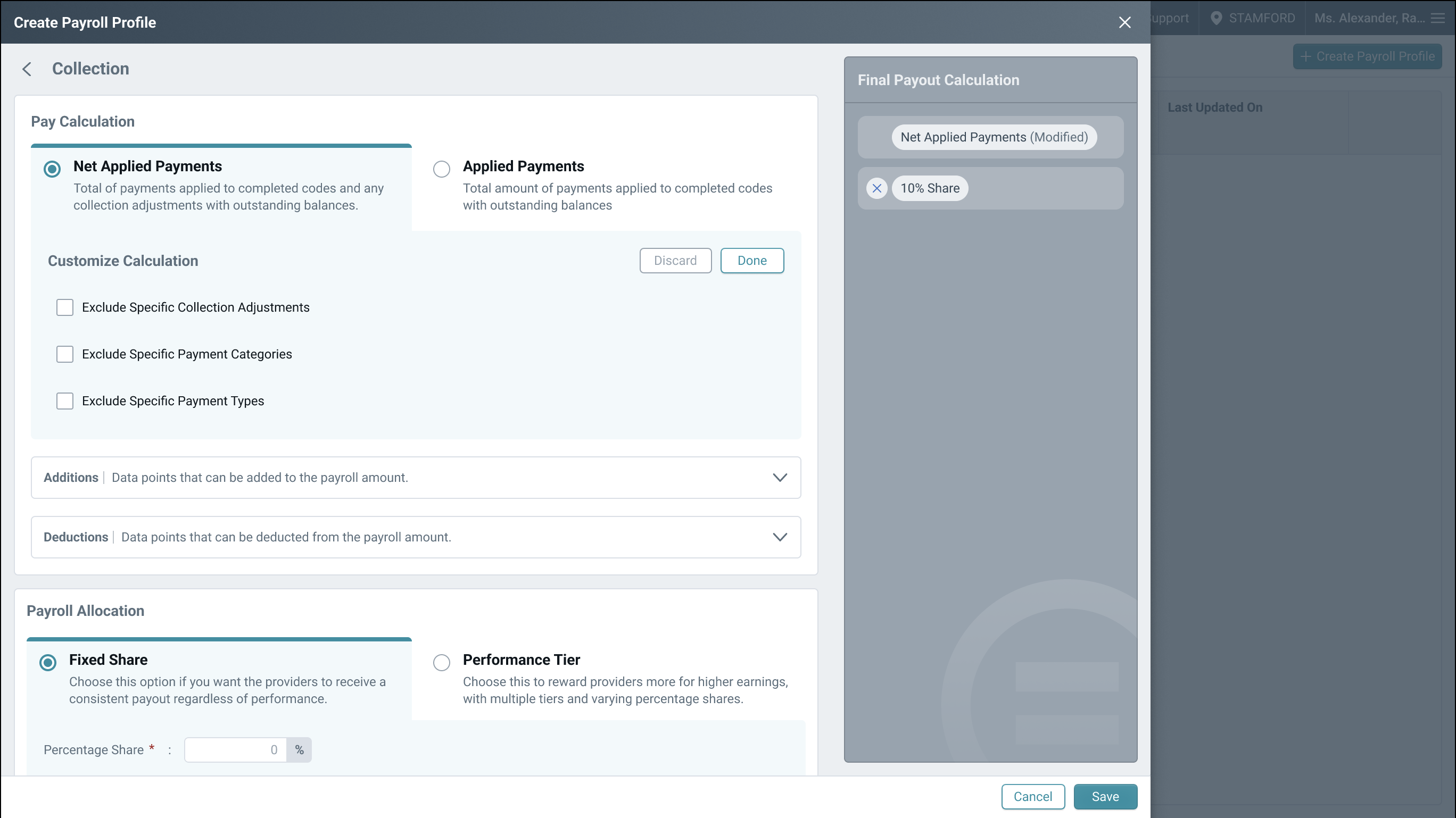
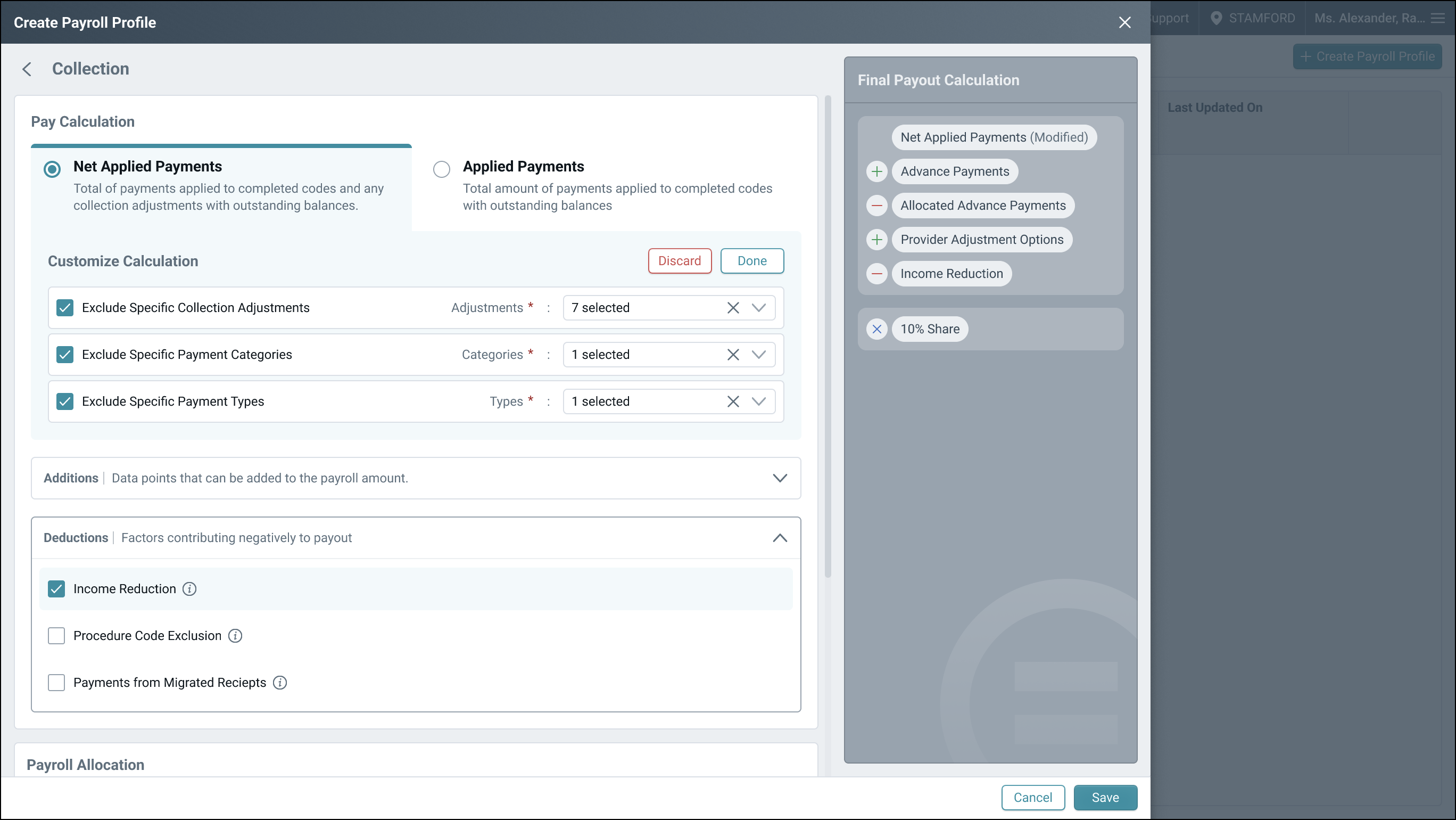
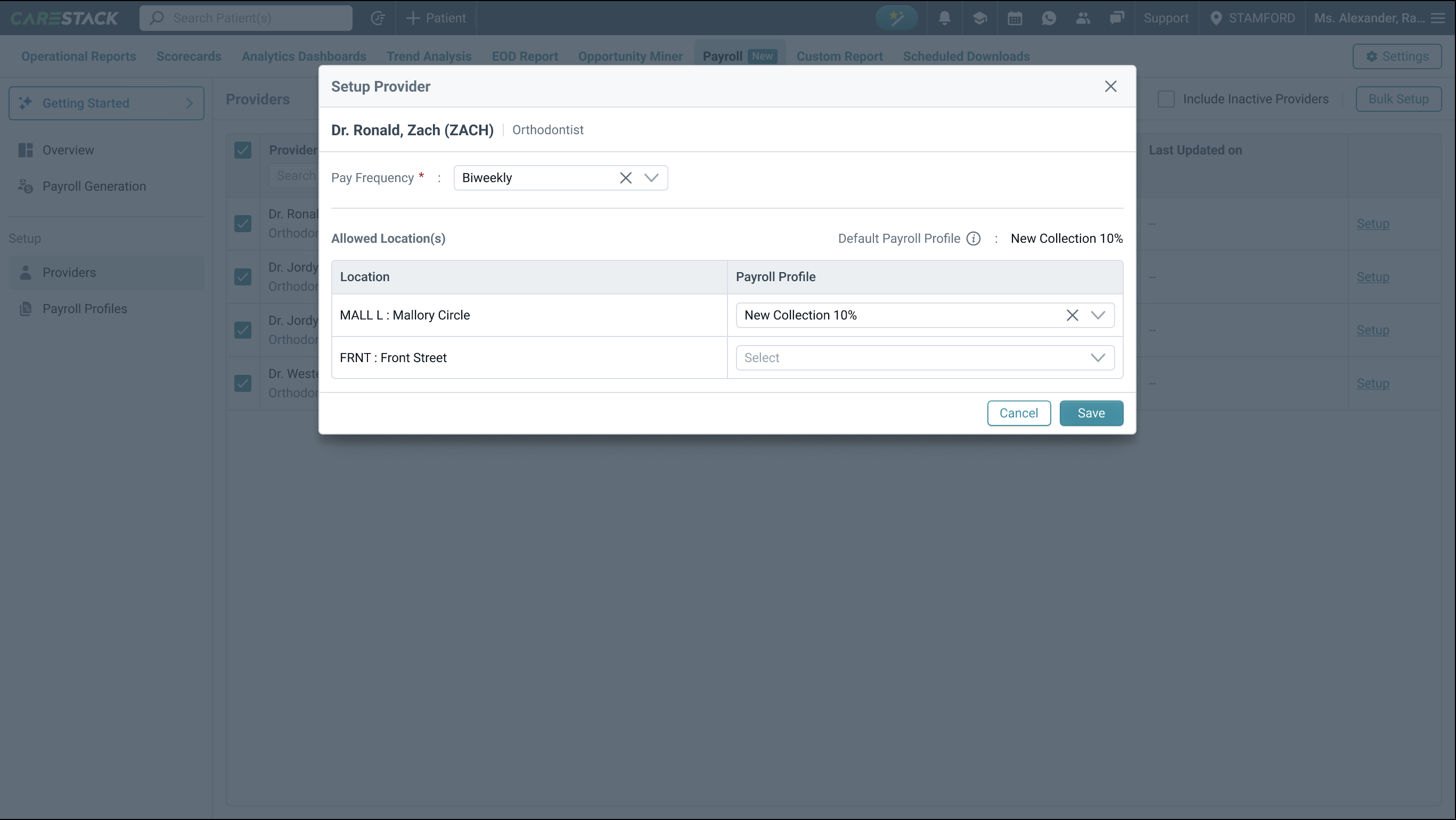
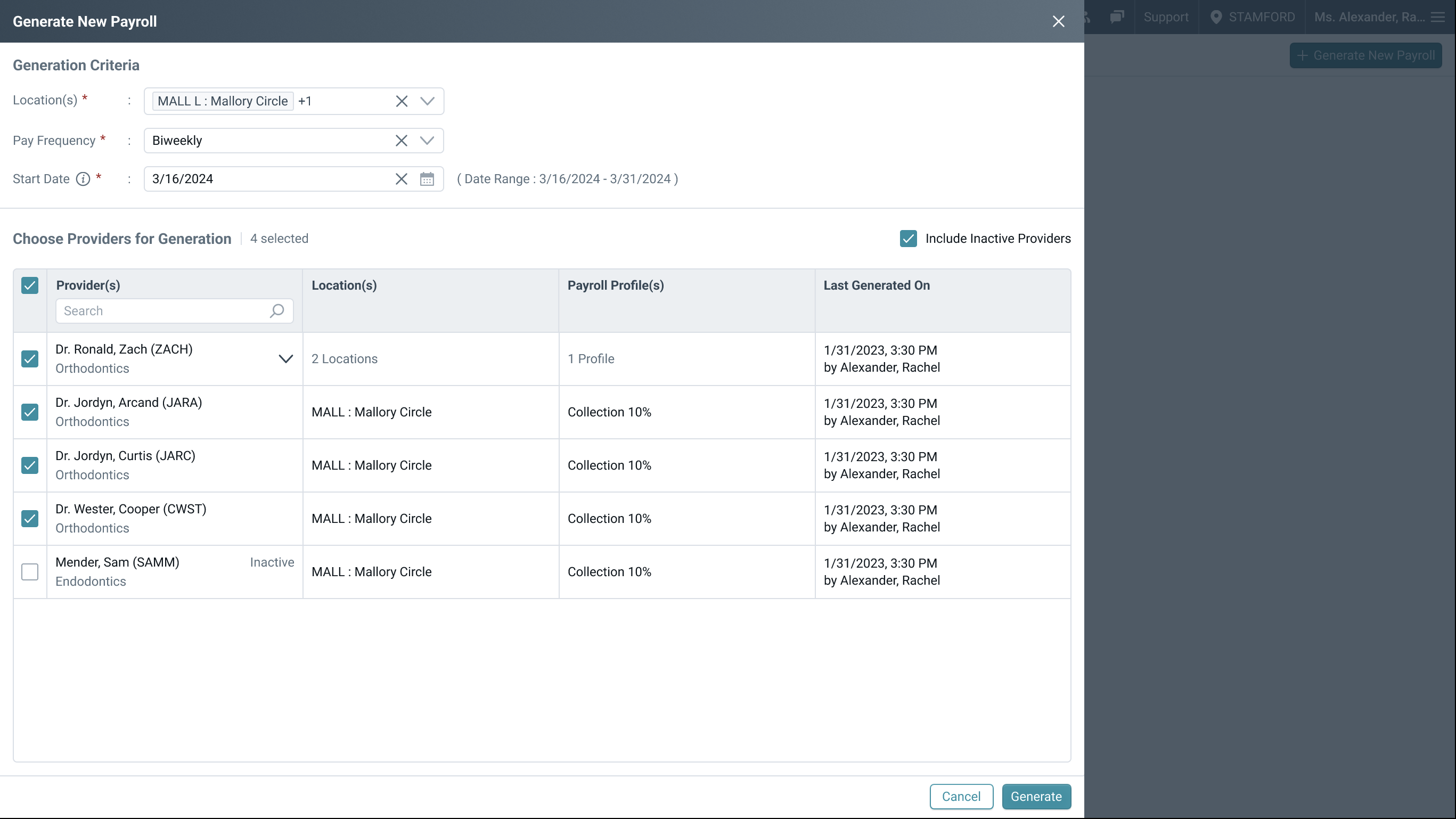
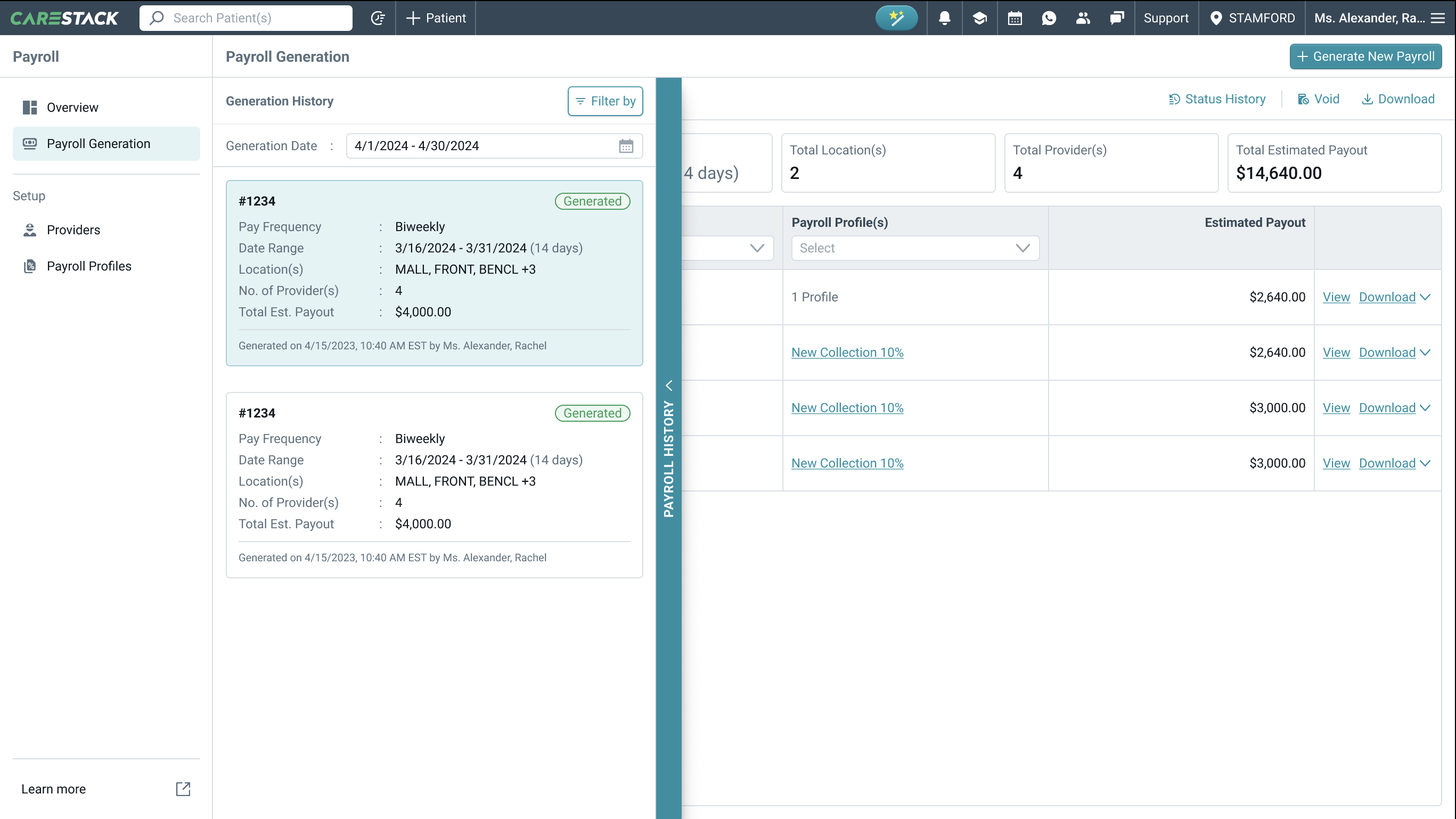

Payroll was a highly requested feature, and its integration with system data delivers significant impact and control.